Lightsaber color is not a property of the blade — it is a number written to an LED controller, and the reason your purple reads pink and your yellow reads green is a chain of physics between that number and your eyes.
This page is the hardware half. For the lore half — which colours are canon and what each one actually means — see the companion guide.
Every blade color you’ve ever seen on screen or in a hobby saber starts as three numbers — how much red, how much green, how much blue — that a soundboard turns into pulses of current. What comes out the other end depends on which LED architecture you bought, how your soundboard is configured, and the physics of how your eye weights different wavelengths.
This page is the technical half of the color story. It maps how colors are defined, how the two LED engines render them differently, why certain colors are notoriously hard to get right, and what “screen accurate” actually means for a glowing tube of light. For the meaning behind each color — what a blade symbolizes for the character who carries it — that’s a separate guide on this site.
What’s on This Page
- Two Color Engines: What Each One Can Actually Render
- How a Blade Color Is Defined: 8-Bit, 10-Bit, and GRB
- The Canon Palette — the Colors That Matter, and Their Data
- Why Some Colors Are Hard to Mix — Yellow, Purple, Warm White
- Red Is the Hardest Blade to Get Right
- Screen-Accurate Color: Why There Is No Single Answer
- Perceived Brightness: Why Green Looks Loudest
- How Soundboards Control Color — Presets to Per-Style Programming
- Frequently Asked Questions
Two Color Engines: What Each One Can Actually Render
There are two ways to make a blade glow a color — one LED in the hilt shining up a hollow tube (baselit), or a full-length strip of individually addressable pixels inside the blade (Neopixel) — and the difference is not just brightness but the very kinds of color effects each can physically produce.
Baselit mixes red, green, and blue dies on a single module at the base of the blade. The whole blade becomes one uniform blended color — there is one light source, so there is one color at a time.
Neopixel places dozens of tiny RGB LEDs along the inside of the blade. Each pixel is independently addressable over a data line, which means different pixels can show different colors simultaneously — a blade that ignites from base to tip, a gradient, a flicker, or a color that chases along the length.
Color Capability — Baselit vs Neopixel
Same “RGB” name, two very different color ceilings. The baselit ceiling is a single blended color at a time; the Neopixel ceiling is per-pixel color across the whole blade.
| Color dimension | Baselit (in-hilt LED) | Neopixel (in-blade strip) |
|---|---|---|
| Light source | One multi-die RGB module at the blade base | ~100–150 addressable RGB LEDs along the full blade |
| Colors at once | One uniform blade color | Different color per pixel; gradients and patterns possible |
| Blade effects | Whole-blade flash, color shift | Scrolling ignition, unstable blade, fire, rainbow, chase |
| Preset colors (typical) | ~10–12 button-selectable | Same ~12 presets on entry boards; effectively unlimited when tuned |
| Full customization | Soundboard-dependent, usually firmware/app level | Per-pixel styles programmable on Proffie-class boards |
| Color accuracy ceiling | One blend must serve the whole blade; hard colors wash toward base | Independent pixels hold hue better from tip to base |
For a collector deciding between them, the color test is simple. If you want a blade that glows one clean canonical color when you turn it on, baselit handles it and costs less. If you want ignition animations and per-pixel effects, that is a Neopixel capability and no amount of tuning gives it to a single LED.
How a Blade Color Is Defined: 8-Bit, 10-Bit, and GRB
Every color a modern saber can show is defined as a triplet of numbers — one for each primary — and whether that triplet is written in 8-bit or 10-bit precision changes how finely you can aim the hue.
Entry-level soundboards store each channel as an 8-bit value from 0 to 255. That gives 256 steps per channel and 16,777,216 theoretical combinations — far more than any blade needs, and more than enough to hit any canonical color.
Proffie and other programmable boards store color in 10-bit, 0 to 1023 per channel. The extra precision matters less for picking a hue than for fine-tuning brightness ramps and blade styles without visible stepping.
There is one ordering trap that trips up every first-time builder. Neopixel chips accept data in GRB order — green, red, blue — not RGB. A color you write as pure red in code can come out green if your library doesn’t declare the chip’s GRB order, which is why “my red looks green” is a classic first-build bug.
| Spec | 8-bit (entry boards) | 10-bit (Proffie-class) |
|---|---|---|
| Range per channel | 0–255 | 0–1023 |
| Steps per channel | 256 | 1024 |
| Data order on common chips | GRB for WS2812-family Neopixel strips | |
| Why it matters | Enough for any canonical hue | Smoother ramps and style transitions |
The practical takeaway: you do not need 10-bit to get an accurate blade color. Every canonical color fits easily inside 8-bit. The extra bits buy smoothness in animated styles, not accuracy in a static hue.
The GRB Trap: Red Intended, Green Rendered
Same data, two different chip conventions. If the config doesn’t declare GRB order, your pure-red channel value lands in the green slot.
The Canon Palette — the Colors That Matter, and Their Data
Across the films and series, a small set of blade colors recurs — blue, green, red, purple, yellow, white, plus the Darksaber’s black — and each has a community-consensus RGB target that saber builders aim for.
One honest caveat before the numbers: there is no official RGB value for any movie blade. The values below are what the builder community has converged on from screencaps and matching exercises, and they vary by source. Treat them as targets, not gospel.
| Color | Community 8-bit target | Character anchors | Notes |
|---|---|---|---|
| Blue | R0–30 · G255 · B255 (screen “hero” blue sits cyan-leaning) | Obi-Wan, Anakin, Luke (ANH) | Lighting and release change it; see screen-accuracy section |
| Green | G-heavy, e.g. R40 G255 B40 region | Yoda, Qui-Gon, Luke (ROTJ) | Green is perceptually the loudest blade |
| Red | R255 G0–50 B0; 10-bit Vader ≈ [1023,0,0] | Vader, Maul, Dooku, Kylo | Real red die is weak; see dedicated section |
| Purple | R-heavy blue, ~R175 G50 B255 region | Mace Windu | Easily drifts pink if the red side runs too strong |
| Yellow | Needs correction away from pure R255 G255 B0 | Temple Guard, Rey | See the hard-colors section |
| White | All three channels high; 4-die or RGBW helps | Ahsoka (later), temple guards | True white is the mix that most needs help |
| Black / Darksaber | Not a color — a flat dark blade with white edge | The Darksaber | Reproduced with a matte dark blade, not an LED mix |
For most colors, a factory saber’s presets land close enough that an owner never opens the tuning tool. The exceptions — the ones that keep people tweaking — are the next three sections.
Why Some Colors Are Hard to Mix — Yellow, Purple, Warm White
Three colors fail more than any others on real blades — yellow drifts green, purple drifts pink, and warm white washes out — and all three fail for the same underlying reason: the red, green, and blue emitters don’t behave evenly.
Yellow. On paper, yellow is red plus green at full power — R255 G255 B0. In practice that mix reads closer to a lime green, because the green die’s output dominates. Builders correct toward a lower red, roughly the R140 G255 B0 neighborhood, to get a yellow that reads yellow instead of chartreuse.
Purple. Purple is red plus blue, and the two need to stay in balance — but the red die reads more forcefully than its drive would suggest, so the classic failure is a purple that drifts pink (pink is just a red-heavy purple). This is the most common color complaint in saber forums — “my purple looks pink” — and the fix is to pull the red side down: a resistor or current adjustment on the red channel for baselit blades, or a lower red value in the color profile for Neopixel. A corrected purple like the community R175 G50 B255 target is visibly blue-dominant, which is the point.
Warm white. Pure white wants all three channels up, but a 3-die mix tends to land cool and thin. Warm, film-like whites benefit from a dedicated white die or an RGBW strip, and on RGBW blades the white LED can tint the whole look if it’s driven at all.
Where the Drift Happens
Three hard colors and the direction they typically miss.
target: warm gold
miss: lime / chartreuse
target: violet
miss: pink / magenta
target: warm film white
miss: cool, washed
All three miss for the same reason: the emitters don’t drive evenly, and human vision weights the primaries unequally.
Red Is the Hardest Blade to Get Right
Red is the weakest link in blade color — not because the LED is bad, but because human vision is least sensitive to red wavelengths, so manufacturers push real red toward orange just to make it look bright, and on-screen red blades have a bright white core that a solid-color LED blade can’t reproduce.
Two separate problems collide on red. First, the eye’s sensitivity peaks in green and collapses toward the spectrum’s red edge — roughly a hundredfold less sensitive to deep red than to green. A manufacturer who wants a visibly bright red often shifts the emitter toward orange (~630nm) to buy perceived brightness, which is why many “red” blades read orange.
Second, movie red blades read on film with a bright white core and colored edges — the blade looks lit from within. A solid-color LED blade renders as an even, solid color with no white core, and builders who have tried to fake the core with layered materials report it washes the color out or dims it. Red is the one blade where “screen accurate” is genuinely hard to reach on hobby hardware.
The Red Trade-Off
- Perceived brightness
- The eye weights red far below green, so deep red looks dim at the same power.
- Manufacturer workaround
- Shift the emitter toward orange to buy brightness — at the cost of hue accuracy.
- White core
- The film look is a bright core with colored edges; solid LED reads as a flat color instead.
- Practical result
- Expect an accurate, readable red rather than a faithful reproduction of the film’s inner glow.
Why Red Is Weak and Green Is Loud — Your Eye’s Response Curve
The eye’s sensitivity across the visible spectrum. It peaks near green-yellow and collapses toward deep red — that collapse is why a red blade needs so much more power to look as bright as green.
Curve is the standard photopic luminous-efficiency function (Vλ). Die wavelengths are typical hobby emitters. Takeaway: same power, green wins and deep red loses — that is biology, not blade quality.
Screen-Accurate Color: Why There Is No Single Answer
“Screen accurate” color is not one number — the same saber reads a different color in different releases, scenes, and lighting, so any “accurate” value is accurate to one version of one scene on one display.
The movie blades were never real light sources. They were painted or rotoscoped into the frame in post, which means the “true” color is whatever the colorist chose for a given scene — and that varies between the theatrical cut, the Blu-ray grade, and the streaming version.
Community matching exercises illustrate the spread. Screencap-derived values for the classic ANH Graflex blue land in a cyan-leaning band (around R21–30, G255, B255) for some releases, while the prequel-era blue blades read deeper and more saturated. Builders who want genuine accuracy don’t copy one number — they put the saber and the movie frame on the same camera and tune until the blades match, and even then the result is scene-dependent.
The honest frame for a buyer: “screen accurate” is a goal you aim at, not a specification you receive. A replica gets you in the family of the on-screen color, and enthusiasts chase the version that matches the release and scene they care about most.
Perceived Brightness: Why Green Looks Loudest
Measured in lumens, colors can’t be compared fairly — the lumen scale is weighted to the green-yellow region where the human eye is most sensitive — so a green blade looks dramatically brighter than a red or purple blade at the same electrical power.
This is why brightness claims between colors are misleading. Lumen ratings weight toward ~555nm, near green-yellow. Deep red and royal blue sit at the edges of the visible range, where sensitivity collapses, so they need more power to look as bright as a mid-spectrum green.
The community ranking matches the physics: green and bright blue read the loudest, followed by red, with orange and purple reading darker at the same drive. That isn’t a quality difference between blades — it’s your eye’s response curve.
How Bright Each Color Looks at Equal Power
Relative perceived brightness of common blade colors at the same electrical drive. The human eye favors the middle of the spectrum.
reference
Approximate relative perceived brightness at equal power, per community testing. Values are illustrative, not instrument-measured lumens.
How Soundboards Control Color — Presets to Per-Style Programming
The soundboard is where color is actually owned — entry boards offer a fixed set of button-selectable colors plus app tuning, while programmable boards store separate color values per blade style, which is how a Proffie saber can carry an exact color for every scene of a character’s on-screen history.
Entry-level Neopixel boards like the Xenopixel family give you a large palette — the full 16-million-color range is addressable — but the interaction model is presets. You pick from the board’s stored colors or nudge one with a companion app, and the choice applies to the whole blade style.
Proffie-class boards go further. Color is written into the board’s configuration as part of each blade style, so you can store different colors per style — one style for the ANH-era blue, another for the ROTS-era blue — and switch between them on the fly. That per-style storage is the real capability gap behind the Proffie price.
Whichever board you have, the process for chasing a color you can’t find in the presets is the same: tune red, green, and blue independently, save the result, and accept that the exact number is a target, not a guarantee, on your particular blade.
Frequently Asked Questions
Q1: Is a lightsaber’s color actually a single RGB value?
A: Yes — on hobby sabers, any solid blade color is stored as a red, green, and blue triplet that the soundboard converts into drive current for the LED channels. Entry boards store each channel from 0–255 (8-bit); Proffie-class boards use 0–1023 (10-bit). The triplet is what gets tuned when a color looks wrong.
Q2: Why does my purple blade look pink?
A: The red side of the mix is running too strong for the blue to hold the hue. Pink is just a red-heavy purple, so when the red die drives harder than the balance wants, a blade aimed at purple lands pink. On baselit blades the fix is usually a resistor or current adjustment on the red channel to calm the red down; on Neopixel, lower the red value in the color profile and let the blue dominate — a corrected purple like R175 G50 B255 is visibly blue-led.
Q3: Why does yellow look green on some sabers?
A: Because a straight red-plus-green mix leans toward lime. The green emitter’s output dominates, so builders lower the red well below full to get a yellow that reads yellow — typically toward the R140 G255 B0 neighborhood rather than a pure R255 G255 B0.
Q4: Is red harder to reproduce than other colors?
A: Yes, for two reasons. The human eye is far less sensitive to red wavelengths, so deep red looks dim and manufacturers often shift toward orange to brighten it. And film red blades have a bright white core that a solid-color LED blade can’t reproduce without washing out. Expect readable red, not a perfect match to the film’s inner glow.
Q5: What’s the difference between baselit and Neopixel color?
A: Baselit mixes a single LED module in the hilt, so the whole blade is one uniform color at a time. Neopixel has individually addressable LEDs along the blade, so it can show gradients and per-pixel effects — scrolling ignition, unstable blade, fire, chase. Both can hit any solid canonical color; Neopixel adds what happens across the blade.
Q6: What is the most accurate “screen accurate” color?
A: There isn’t one. Movie blades were added in post, so the color varies by release, scene, and display — the classic blue reads cyan-leaning in some versions and deeper in others. Community values are targets for a specific version of a specific scene, not a universal spec.
Q7: Why is green so much brighter than red?
A: The human eye’s sensitivity peaks near green-yellow and collapses toward the red and blue edges of the spectrum. At the same electrical power, a green blade looks dramatically brighter. Lumen ratings are weighted to that same green region, which is why cross-color brightness comparisons can mislead.
Q8: Do entry boards really show 16 million colors?
A: The addressable range is there — 8-bit channels give 16,777,216 theoretical combinations — but you interact through a stored set of presets plus app tuning. You can reach essentially any color; you’re just doing it one saved profile at a time rather than writing per-style values.
Q9: What is the GRB thing people mention about Neopixel?
A: Neopixel chips accept color data in green-red-blue order, not red-green-blue. If your code or config doesn’t declare the chip’s GRB order, a color you intend as red can render green. It’s the classic first-build “wrong color” bug.
Q10: Can one saber show every color, or is color fixed at purchase?
A: On any RGB or Neopixel saber, color is electronic and changeable — through button presets on entry boards, an app, or configuration on programmable boards. A fixed single color only applies to a monochrome LED build, which trades away color for extra brightness on one hue.
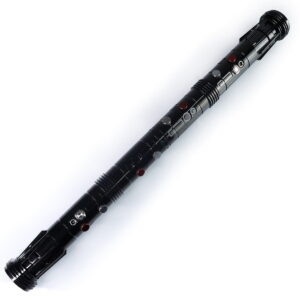
ISABER Double Bladed Lightsaber — RGB Baselit / Xenopixel Staff Saber
Accessories / RGB & Baselit Lightsabers
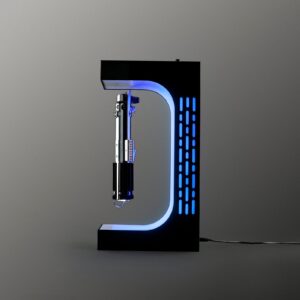
ISABER Magnetic Levitation Lightsaber Display Stand
Electromagnetic display stand that suspends your saber hilt in mid-air with a smooth 360-degree rotation - no cradle, no visible support.