Smooth swing is the audio engine that makes a lightsaber’s sound react continuously to how you move it. A gyroscope measures blade rotation in degrees per second — sampled 200 to 500 times every second — and the soundboard uses that number to blend layered swing sounds with the hum in real time.
Swing fast, and the swing audio gets loud while the hum ducks down. Swing slow, and the hum stays dominant. Stop moving, and the swing audio fades out in roughly 80–120 milliseconds.
The algorithm has a single inventor. In January 2018, a hobbyist known as Thexter published the motion-to-sound technique, running it on a hand-assembled Teensy-based board.
ProffieOS adopted it the same year. The Proffieboard made it popular in 2019. And when Plecter Labs shipped the CFX in mid-2019, smooth swing became a mass-market standard that budget boards now ship in simplified “ECO” form.
This page is the full technical reference: the sensor pipeline, the file structure inside smooth swing sound fonts, the V1-to-V2 algorithm evolution, every tuning parameter with its default value, a soundboard-by-soundboard implementation matrix, and the failure modes to recognize when the audio misbehaves.
What’s on This Page
- What Smooth Swing Is — the 30-second definition
- The Motion-to-Sound Pipeline — five stages, 200–500 times per second
- Inside a Smooth Swing Sound Font — paired swing files, accents, WAV specs
- Smooth Swing V1 vs V2 — 2 channels vs up to 16
- How the Blending Works — speed, rotation, and hum ducking
- Accent Swings, Slashes, and Stabs
- The Parameter Reference — every smoothsw.ini value with defaults
- Smooth Swing Across Soundboards — the implementation matrix
- A Short History: Thexter to ECO Smooth Swing
- SD Cards, Latency, and Battery Drain
- Smooth Swing vs Trigger Swing
- Common Smooth Swing Issues and Fixes
- Frequently Asked Questions
What Smooth Swing Is
Smooth swing is a real-time audio mixing method that ties a saber’s swing sounds to gyroscope rotation data, measured in degrees per second (°/s). The board blends the idle hum with layered swing recordings so that volume follows swing speed and pitch follows rotation distance.
The result is the continuous, responsive whoosh of the films — instead of one canned sound playing each time a motion threshold trips.
Before 2018, sabers used trigger swing: an accelerometer tripped a threshold, and the board played a single fixed swing sound. Every swing sounded the same, and the hum never reacted. Smooth swing replaced the threshold event with continuous measurement — the board always knows how fast the hilt is rotating, and the audio always reflects it.
One distinction matters up front. The term “smooth swing” describes the algorithm, not the hardware. It runs on baselit (RGB) boards and Neopixel boards alike.
What differs between boards is which implementation they run — full open-parameter engines on ProffieOS boards, simplified proprietary versions on budget cores. The implementation matrix below maps who does what.
The Motion-to-Sound Pipeline
A smooth swing saber runs a five-stage loop — measure rotation, sample it, normalize the speed, crossfade audio layers, mix with a ducked hum — repeated 200 to 500 times per second. Here is each stage and the hardware behind it.
| Stage | Hardware | Data | Output |
|---|---|---|---|
| 1. Measure | 6-axis IMU: gyroscope + accelerometer | Rotational velocity in °/s (gyro). Linear acceleration in G (accel). | Gyro feeds swing/hum. Accel feeds clash, stab, drag, melt. |
| 2. Sample | Soundboard MCU | 200 Hz on older boards; up to 500 Hz on Proffieboard v3/v3.9 under ProffieOS 6. | A fresh velocity reading every 2–5 ms. |
| 3. Normalize | Firmware | Velocity mapped to a 0–1 scale against a maximum swing speed. | 0 = idle, 1.0 = full swing volume (ProffieOS default max: 450 °/s). |
| 4. Crossfade | Audio mixer | Accumulated rotation degrees vs transition points. | Blends low-pitch and high-pitch swing layers (ProffieOS transitions at 45/160/180°). |
| 5. Mix & duck | Audio output | Swing layer volume multiplied up to 3.0× over the hum; hum ducked up to 75%. | Mono speaker output. |
The Five-Stage Pipeline, One Loop
Rotation enters at the IMU and exits at the speaker. The entire loop runs every 2–5 milliseconds.
Inside a Smooth Swing Sound Font
A smooth swing font is a standard saber font plus a folder of paired swing files — low-pitch and high-pitch variations of the same whoosh — that the board blends against the hum while the saber moves. A font without those files still works, but the board falls back to trigger swing.
| File type | Purpose | ProffieOS naming convention |
|---|---|---|
| Hum loop | Continuous base layer, always playing while the blade is on. | hum01.wav (looped) |
| Swing pairs (low) | Low-pitch whoosh variations. Blended at lower rotation ranges. | swingl1–swingl8.wav |
| Swing pairs (high) | High-pitch whoosh variations. Take over as rotation accumulates. | swingh1–swingh8.wav |
| Accent swings | Short, punchy whooshes fired on fast swings and slashes. | swng001.wav, swng002.wav … |
| Impact one-shots | Clash, blaster, lockup, and drag sounds. Independent of the swing blend. | clash01.wav, blaster01.wav, lockup01.wav |
Font quality matters as much as the board. The smooth swing algorithm only runs correctly with smooth-swing-capable fonts — the swing files have to exist and be named in the layout the board expects. When buying third-party fonts, check the listing for “smooth swing” in the title, category, or description.
Smooth Swing V1 vs V2
V1 blends two swing channels. V2 blends up to sixteen. That one difference explains most of what you hear — V1 has an audible grain when you reverse direction mid-swing, while V2 crossfades through many layers and direction changes sound seamless.
| Dimension | V1 (2018) | V2 (2019+) |
|---|---|---|
| Swing layers | 2 channels (swng.wav + swng2.wav) | Up to 16 layers (swng1–swng16) |
| Direction changes | Audible grain on rapid reversals | Seamless crossfade between layers |
| Processing load | Low — two streams to read | Higher — many simultaneous WAV reads from the SD card |
| ProffieOS default | Legacy support only | Default since ProffieOS 4 |
| How to identify | Two swing files in the font folder | Four to sixteen numbered swing files |
Compatibility is one-directional. A V2 font dropped onto a V1-configured board plays in V1 mode, using only the first two swing files. A V1 font on a V2 board stays V1 — the extra layers simply don’t exist in the folder.
Swing Layer Count — V1 vs V2
Same motion. Eight times the audio layers to blend.
2
16
Layer counts from the ProffieOS font conventions. More layers = smoother reversals, higher SD card demand.
How the Blending Works: Speed, Rotation, and Hum Ducking
Volume follows swing speed. Pitch follows rotation distance. The hum ducks to make room for both. The algorithm keeps these two mappings separate — an important design choice with a specific history.
- Volume = angular velocity. The normalized speed value (0–1) scales the swing layer volume, shaped by a non-linear response curve. Faster rotation, louder swing audio.
- Pitch = accumulated rotation degrees. The crossfade between low and high swing layers advances as total rotation accumulates, through three transition phases at 45°, 160°, and 180°. Beyond 180°, the high-pitch layers dominate.
- Not the other way around. Early testing tied playback speed directly to swing velocity — and it sounded, in forum testing terms, “like an engine revving” rather than a movie saber. So pitch tracks rotation distance, and speed controls volume only.
- Hum ducking. As swing volume rises, the hum volume drops — up to 75% at full swing in ProffieOS defaults. That’s what makes swings cut through the mix.
- Safe pair switching. A new swingl/swingh pair is only selected when the algorithm judges it safe — not mid-swing. Above the threshold velocity, the current pair loops instead of switching.
The Crossfade Over One Swing — Rotation vs Layer Volume
As rotation accumulates past 45°, the low layer hands off to the high layer. Hum is ducked the entire time the swing layers are audible. Transition points are ProffieOS defaults.
Accent Swings, Slashes, and Stabs
On top of the continuous blend, smooth swing fires a second class of sounds — accents — gated by speed and acceleration thresholds. Three thresholds decide what plays, and the board’s two sensors divide the work.
| Trigger | Sensor | Threshold (ProffieOS default) | Result |
|---|---|---|---|
| Accent swing | Gyroscope | 450 °/s (AccentSwingSpeedThreshold) | Fires a short swngNNN.wav accent on top of the blend. |
| Slash vs swing | Gyroscope | 260 °/s² acceleration at threshold crossing (AccentSlashAccelerationThreshold) | Separates an aggressive slash from a normal swing. Requires acceleration limits set in the font config. |
| Stab | Accelerometer | 3.0 G (ProffieOSStabAccelerationThreshold) | A linear thrust with almost no rotation — the gyro sees nothing, so the accelerometer catches it and plays a stab sound. |
The stab case is worth understanding. A thrust along the blade axis produces almost no rotational velocity — the gyroscope’s measurement domain — which is why smooth swing boards keep the accelerometer in the loop. Pure rotation, pure translation, and the mix between them all map to different sounds.
The Parameter Reference
ProffieOS exposes every smooth swing behavior through one configuration file — smoothsw.ini — with nine core parameters. CFX exposes three of the same concepts through its RICE editor. Budget boards expose none. Here’s the full ProffieOS set with defaults.
| Parameter | Default | What it does |
|---|---|---|
| SwingSensitivity | 450 | Swing speed in °/s required to reach full swing volume. |
| MaxSwingVolume | 3.0 | Volume multiplier for swing layers over the hum. |
| MaximumHumDucking | 75 | Percent the hum decreases as swing volume increases. |
| SwingSharpness | 1.75 | Non-linear response curve. Higher = quieter at low speeds, fast ramp-up. |
| SwingStrengthThreshold | 20 | Minimum °/s required to register as a smooth swing at all. |
| Transition1Degrees | 45 | Rotation degrees to complete crossfade phase one. |
| Transition2Degrees | 160 | Rotation degrees to complete crossfade phase two. |
| Transition3Degrees | 180 | Rotation degrees to complete the full low-to-high handoff. |
| AccentSwingSpeedThreshold | 450 | °/s at which accent swing sounds trigger. |
| AccentSlashAccelerationThreshold | 260 | °/s² acceleration separating a slash from a swing. |
Beyond smoothsw.ini, four generic tuning macros appear across smooth swing board configs:
| Macro | Recommended range | Effect |
|---|---|---|
| SWING_THRESHOLD | 15–25 (dueling: 20–30) | Minimum motion before swing audio rises. Lower = more sensitive onset. |
| CLASH_THRESHOLD | 12–20 | Minimum impact G to register a clash. Counterintuitive direction: lower = triggers on lighter contact. |
| SMOOTHSWING_CWMAXVEL | 300–500 | Maximum angular velocity mapped to full volume. Lower = full volume at slower swings. |
| SMOOTHSWING_TIMEOUT | 80–120 ms | Fade-out time after motion stops. Lower = audio cuts faster; higher = tail lingers. |
Tuning practice from the community: change one parameter per flash cycle, test with real swings, then adjust the next one. A typical tuning session takes 3–5 flash cycles. On Proffieboard v3/v3.9 with ProffieOS 6+, SWING_THRESHOLD and CLASH_THRESHOLD can be adjusted live through the ProffieOS Workbench in Chrome over WebUSB — no reflash required.
CFX takes a simpler route. Its RICE editor exposes three smooth swing settings: how sensitive the board is to blade rotation, how loud the swing effect plays, and how far the idle hum gets damped. Same concepts, fewer knobs.
Smooth Swing Across Soundboards
Not all smooth swing is the same engine. ProffieOS-family boards run the full V2 algorithm with open parameters. Proprietary boards run simplified versions — responsive, but with fewer or no user-facing controls. Here is the implementation matrix.
| Board | Engine | User-facing tuning | Notes |
|---|---|---|---|
| Proffieboard v2.2 / v3 / v3.9 | ProffieOS SmoothSwing V1 + V2 | Full smoothsw.ini editing. Live thresholds via WebUSB on ProffieOS 6+. | Open-source board. The easiest path to smooth swing in 2018–2019 and still the reference implementation. |
| CFX (Plecter Labs) | Proprietary | RICE graphical editor: rotation sensitivity, swing volume, hum dampening. | First mass-market board with smooth swing that did not run ProffieOS (mid-2019). |
| Golden Harvest v3 | Proprietary | Per-font config. | Adopted smooth swing after the Proffieboard era. Popular mid-tier board. |
| Xenopixel V3 | Simplified proprietary | None exposed. | SD card font swap only. Responsive in practice, but no parameter tuning. |
| SNV4 Pro | Motion-reactive proprietary | App-based. | Higher polling-rate IMU than entry cores. |
| Baselit V3 | Onboard IMU smooth swing | None exposed. | 16 sound fonts pre-installed. The mass-market baselit core. |
| S-RGB | Dueling-tuned smooth swing | None exposed. | Same baselit architecture with the clash threshold set higher to cut false triggers during hard exchanges. |
| “ECO” / “hybrid” smooth swing | Simplified budget variants | None. | The industry shorthand for simplified smooth swing implementations on entry-level boards — same motion concept, fewer audio layers, coarser response. |
A Short History: Thexter to ECO Smooth Swing
Smooth swing has one inventor, one forum post, and a two-year path to becoming the hobby’s default. The timeline is unusually well documented for a niche audio feature.
| Date | Event |
|---|---|
| Jan 2018 | Thexter posts the smooth swing algorithm publicly, demonstrated on a hand-assembled Teensy-based board. Before this, smooth swing did not exist. |
| 2018 | The ProffieOS team adapts the algorithm. Every TeensySaber running ProffieOS can be upgraded to SmoothSwing V2 via firmware. |
| Mar 2019 | Proffieboard V2 announced. Smooth swing becomes the board’s flagship feature and the hobby’s dividing line between modern and legacy sound. |
| Mid-2019 | Plecter Labs ships CFX — the first mass-market smooth swing board not running ProffieOS, with RICE-based tuning. |
| 2019–2020 | Golden Harvest and other established board makers adopt the algorithm. |
| 2020s | Budget boards ship “ECO” and “hybrid” smooth swing — simplified, less sophisticated variants that bring the marketing term to entry-level price points. |
SD Cards, Latency, and Battery Drain
If smooth swing feels delayed, the SD card is almost always the bottleneck — not the algorithm. The board streams WAV layers from the card in real time, and V2 fonts open many files at once. A slow card inserts audible gap between motion and sound.
- Format: FAT32 — not exFAT. Boards that misread exFAT cards fail silently here.
- Card class: Class 10 / A1-rated cards recommended. The A1 rating specifically covers random small-file reads, which is exactly what layered swing audio does.
- File spec: 16-bit PCM WAV, 44.1 kHz. Odd sample rates or compressed formats either fail or force real-time conversion.
- If choppiness persists: switch to a simpler V2 font with four to six swing files. Fewer simultaneous reads, same smooth behavior.
Battery drain is the second cost of smooth swing. High sensitivity settings and complex V2 fonts raise processing load and SD read frequency. Community guidance: dropping master volume 15–20% noticeably extends runtime on power-hungry setups.
Smooth Swing vs Trigger Swing
Trigger swing plays one fixed sound when motion crosses a threshold. Smooth swing synthesizes continuous audio that scales with the motion itself. The comparison is architectural, not cosmetic.
| Dimension | Trigger swing (pre-2018) | Smooth swing (2018+) |
|---|---|---|
| Motion sensing | Single threshold event on the accelerometer | Continuous gyroscope sampling at 200–500 Hz |
| Swing audio | One fixed sample per swing | Layered crossfade with speed-scaled volume |
| Hum interaction | Hum plays unaffected | Hum ducks up to 75% |
| Pitch | Fixed per font | Transitions with rotation (45/160/180°) |
| Accents / stabs | None | Speed-gated accents, slash detection, 3.0 G stab detection |
| User experience | “Same whoosh every swing” | Responsive, film-like continuous sound |
Common Smooth Swing Issues and Fixes
Smooth swing misbehaves in a small, well-mapped set of ways. The community has diagnosed each one — here are the most reported issues and the fixes.
Swing Audio Lags Behind Motion
Almost always an SD card read-speed problem, not an algorithm problem. Reformat to FAT32, use a Class 10 / A1 card, verify the WAVs are 16-bit PCM at 44.1 kHz. If lag persists on a V2 font, switch to a simpler font with four to six swing files.
Clash Fires When Nothing Touches the Blade
The clash threshold is too low for your grip style. Lateral hilt pressure during swings spikes the accelerometer, and the deceleration at the end of a spin flourish can also trip it. Raise the clash threshold in increments of 3–5 and retest.
Real Clashes Missed During Sparring
The opposite problem. Blade contact in sparring often deflects rather than stops dead, so peak G stays low. Lower the clash threshold in increments of 3 until live hits register consistently.
Swing Sounds Trigger at Tiny Movements
SwingStrengthThreshold is set too low — the ProffieOS default of 20 °/s is the floor at which motion registers. Raising it slightly trades off response for noise rejection.
Swing Audio Overwhelms the Hum (or Vice Versa)
Three parameters own this balance: SwingSharpness (response curve), MaxSwingVolume (swing multiplier), and MaximumHumDucking (how far the hum drops). Adjust one at a time — all three interact.
Battery Drains Noticeably Faster
High sensitivity plus complex V2 fonts raises both processing and SD reads. Drop master volume 15–20% or reduce the layer count of the active font.
Font Has No Swing Files
The board silently falls back to trigger swing. When buying fonts, check the listing for “smooth swing” in the title, category, or description — and verify the swing files exist in the folder after download.
Frequently Asked Questions
Q1: What is smooth swing on a lightsaber?
A: It’s the audio engine that ties swing sounds to real-time motion. A gyroscope measures rotation in degrees per second — sampled 200 to 500 times every second — and the soundboard continuously blends layered swing recordings with the hum. Volume follows swing speed; pitch follows rotation distance. The result is the continuous, responsive whoosh of the films.
Q2: Do RGB baselit sabers have smooth swing?
A: Yes. Smooth swing is an algorithm, not a blade technology — it runs on baselit and Neopixel boards alike. Current baselit cores (Baselit V3, S-RGB) include onboard IMU smooth swing as standard. The algorithm only needs a gyroscope and a supporting soundboard.
Q3: Does Xenopixel have smooth swing?
A: Yes, but a simplified proprietary version. Xenopixel V3 supports smooth swing sound fonts via SD card swap, and the motion response works in practice. What it lacks is parameter tuning — it’s not the full ProffieOS algorithm with exposed thresholds.
Q4: What’s the difference between smooth swing V1 and V2?
A: Layer count. V1 (2018) blends two swing channels and has an audible grain on rapid direction changes. V2 (2019+) blends up to sixteen layers and reverses direction seamlessly. V2 has been the ProffieOS default since version 4, at the cost of higher SD card demand.
Q5: How do I know if a sound font supports smooth swing?
A: Look at the files. Four to sixteen numbered swing files mean a V2 font. Two swing files mean V1. No swing files at all means the board will fall back to trigger swing. When buying fonts, check the listing for “smooth swing” in the title, category, or description.
Q6: Can I tune smooth swing sensitivity?
A: Depends on the board. Proffieboards expose everything through smoothsw.ini — nine core parameters — plus live threshold tuning over WebUSB on ProffieOS 6+. CFX exposes three settings through RICE. Budget boards like Xenopixel V3 expose none.
Q7: Why is my smooth swing laggy or choppy?
A: The SD card is the usual culprit, not the algorithm. Reformat to FAT32, use a Class 10 / A1 card, and verify the WAVs are 16-bit PCM at 44.1 kHz. If choppiness persists, switch to a simpler V2 font with four to six swing files.
Q8: Why do swing or clash sounds trigger when I’m not swinging?
A: Thresholds too low for your motion style. Grip pressure and the deceleration at the end of spins spike the accelerometer and can trip clash detection. Raise the clash threshold in increments of 3–5, and check SwingStrengthThreshold if faint movements trigger swing audio.
Q9: Does smooth swing drain the battery faster?
A: Yes, somewhat. High sensitivity and complex V2 fonts increase processing and SD read frequency. Community guidance is to drop master volume 15–20% on power-hungry setups, which noticeably extends runtime.
Q10: Does smooth swing work when I spin the hilt around its own axis?
A: Yes, by design. Axial rotation isn’t a “swing” on the gyroscope’s measurement axes, so spin flourishes don’t spam swing audio. A stab — linear thrust with almost no rotation — is caught separately by the accelerometer at 3.0 G.
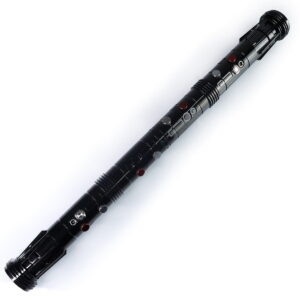
ISABER Double Bladed Lightsaber — RGB Baselit / Xenopixel Staff Saber
Accessories / RGB & Baselit Lightsabers
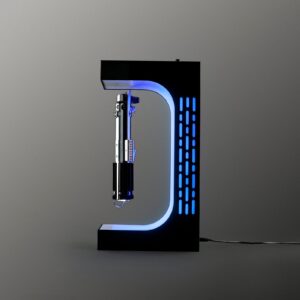
ISABER Magnetic Levitation Lightsaber Display Stand
Electromagnetic display stand that suspends your saber hilt in mid-air with a smooth 360-degree rotation - no cradle, no visible support.