An RGB lightsaber puts the LED inside the hilt, not the blade. A single high-power multi-die LED module — usually a 12W tri-star with discrete red, green, and blue emitters on one PCB — fires light up through a hollow polycarbonate tube lined with diffusion film. No electronics in the blade. No fragile connectors. Just one LED, one hollow tube, and the physics of color mixing.
RGB baselit is the original saber technology. It’s what the hobby was built on before Neopixel strips took over the blade. And it still wins on three things Neopixel can’t match: durability (nothing inside the blade to crack), battery life (one LED draws a fraction of what a 120-pixel strip pulls), and cost (entry-level RGB sabers start under $100).
This page covers the full stack: how the LED module works, how PWM color mixing produces 16.7 million colors from three diodes, how the blade is built, how soundboards control everything, the dueling physics that make baselit blades nearly indestructible, and every ISABER RGB saber you can get. Everything in one place.
What’s on This Page
- How RGB Baselit Technology Works — the LED module, the hollow blade, the diffusion system
- PWM Color Mixing: How Three Diodes Make 16.7 Million Colors
- How a Baselit Blade Is Built — 3-layer construction vs Neopixel’s 5
- RGB Soundboards and Core Systems — Baselit V3, S-RGB, SNV4
- Battery, Charging, and Runtime
- Dueling Physics: Why Baselit Survives Impacts
- Color Presets, App Control, and Customization
- RGB vs Neopixel: When Each One Wins
- Common RGB Hardware Issues and Fixes
- When Should You Choose (and NOT Choose) an RGB Saber?
- Frequently Asked Questions
How RGB Baselit Technology Works
The In-Hilt LED Architecture
An RGB baselit saber works on the flashlight principle. The light source is a multi-die LED star — typically a 12W Tri-Cree XP-E2 or compatible module — mounted at the top of the hilt’s internal chassis. Three discrete LED dies sit on a single aluminum-core PCB: one red, one green, one blue. Each die is independently addressable. When activated, all three fire upward into the base of a hollow polycarbonate blade.
Because the light originates from a single point at the base, brightness falls off toward the blade tip. This is the fundamental optical tradeoff of the baselit architecture. A well-designed diffusion system minimizes the gradient — making the blade look acceptably even to the eye — but it can never fully eliminate it. The tip will always be dimmer than the base. For some users this is a dealbreaker. For duelists who prioritize impact survival over visual perfection, it’s irrelevant.
The LED Module in Detail
| Component | Specification | What It Does |
|---|---|---|
| Red die | Vf ≈ 2.4V, ~3W at full current | Deep red output. Lowest forward voltage of the three — requires the highest resistance to balance. |
| Green die | Vf ≈ 3.4V, ~3W at full current | Mid-spectrum green. Highest forward voltage. Most visible to the human eye per watt. |
| Blue die | Vf ≈ 3.2V, ~3W at full current | Deep blue output. Perceptually dimmer than green at the same power — the human eye is less sensitive to blue wavelengths. |
| Star PCB | Aluminum-core, 20mm diameter | Thermal management. The aluminum substrate pulls heat away from the dies and into the hilt body. Without it, the LED overheats in under a minute at full power. |
| Lens | Collimator optic, ~8-10° beam angle | Focuses the three dies’ output into a tight upward beam. Without the optic, light scatters inside the hilt and the blade looks dim. |
The star PCB is the industry-standard form factor for saber LEDs. It’s named for its shape — a circular PCB with six radial tabs for solder pads and mounting screws. The aluminum core is structural as well as thermal: it prevents the PCB from flexing under the pressure of the blade sitting in the emitter.
Tri-Star LED Module — Top-Down View
Three independent LED dies on a single aluminum-core PCB. Each die gets its own PWM channel from the soundboard.
PWM Color Mixing: How Three Diodes Make 16.7 Million Colors
The soundboard doesn’t vary voltage to change colors. It uses pulse-width modulation (PWM) on each of the three LED channels independently. Here’s what that means in practice.
Each channel — red, green, blue — gets a PWM signal from the soundboard’s MOSFET drivers. The signal is a square wave that switches the LED on and off at a frequency too fast for the human eye to detect (typically 1–2kHz). What changes is the duty cycle: the percentage of each cycle the LED spends on vs off. At 100% duty cycle the channel runs at full brightness. At 50% it’s half as bright. At 0% it’s off. With 256 brightness levels per channel (8-bit resolution), you get 256 × 256 × 256 = 16,777,216 theoretical color combinations.
In practice, the number of usable colors is smaller. Three factors limit the palette:
- Forward voltage mismatch. The red die needs ~2.4V. Green needs ~3.4V. If all three channels run from the same voltage rail without per-channel current-limiting resistors, red pulls disproportionately more current and the mix skews warm. Every competent saber board includes per-channel resistors or active current regulation to compensate.
- Perceptual non-linearity. Human vision is logarithmic, not linear. A 50% PWM duty cycle doesn’t look “half as bright” — it looks roughly 70% as bright. Soundboard firmware applies gamma correction curves to linearize the perceived brightness ramp.
- Thermal droop. LED output drops as junction temperature rises. Running all three channels at 100% for more than a few minutes causes measurable brightness loss — typically 5–10% after 10 minutes. The aluminum-core star PCB slows this but doesn’t eliminate it.
PWM Duty Cycle — Visualizing Color Mixing
Three channels. Three independent PWM square waves. The duty cycle on each channel sets the brightness of that primary color. The human eye integrates the rapid pulses into a single perceived hue. Here, R=100% + G=40% + B=15% → warm orange.
The Purple Problem
Purple is the hardest color to get right on an RGB baselit saber. Here’s why: purple requires red + blue mixed in roughly equal perceived brightness. But blue LEDs have a higher forward voltage (~3.2V) than red (~2.4V), and the human eye is far less sensitive to blue wavelengths. Without careful resistor tuning on the blue channel — typically 1.5–3 ohms of additional resistance to dial it back relative to red — the mix drifts pink or washes out entirely.
This is the single most common complaint in RGB saber forums: “my purple looks pink.” The fix is almost always resistor tuning on the blue channel. Factory-built sabers from reputable manufacturers pre-tune the resistor values. DIY builds require the builder to calculate and solder the correct resistors themselves.
How a Baselit Blade Is Built
A baselit blade has three layers. A Neopixel blade has five. That difference — two fewer layers, zero electronics — is why baselit blades cost less, survive harder impacts, and are trivial to replace.
| Layer | Material | What It Does |
|---|---|---|
| 1. Outer tube | Polycarbonate, 1″ OD, 2mm (standard) or 3mm (heavy-grade) wall | Structural shell. Same material as riot shields. Transparent. The thicker the wall, the more impact it absorbs — at the cost of slightly reduced light transmission. |
| 2. Diffusion film | White plastic film, rolled inside the tube | Scatters the single-point light from the hilt LED into an even column. Without this layer, you’d see a bright spot at the base and a dark tube above it. Some manufacturers use multiple wraps for heavier diffusion; the tradeoff is overall brightness. |
| 3. Blade tip | Polycarbonate cap with reflective interior coating | Seals the end. The reflective coating bounces light back down, reducing tip dimming. Cheaper blades skip the reflective coating — the tip is noticeably darker as a result. |
That’s it. No LED strips. No foam diffuser. No pogo pin data connectors. The blade is a hollow tube with a reflective tip and a rolled sheet of diffusion film inside. When it breaks — and eventually, all dueling blades break — you unscrew the retention screw, pull out the old blade, slide in a new one, and keep fighting. Replacement cost: a standard polycarbonate tube, no electronics.
RGB Soundboards and Core Systems
The soundboard is the saber’s brain — accelerometer, gyroscope, SD card, MOSFET drivers for the LED channels. Modern RGB soundboards have closed most of the feature gap with entry-level Neopixel boards. Here’s what’s available.
Baselit V3 Core — The Current Standard
This is the mass-market RGB core, and it’s in most sabers under $150. 16 sound fonts pre-installed. 12 button-selectable colors. Bluetooth app control for infinite color tuning (iOS and Android via ForcePark V2 or similar). Smooth swing via onboard IMU. Flash on clash, blaster deflection, lock-up, and tip drag detection all included.
The V3 core integrates the soundboard, 12W RGB LED module, 2000mAh battery, speaker, and USB-C charging port into a single chassis. Installation in an empty hilt takes under a minute — slide it in, tighten the retention screw, done.
S-RGB Core — The Dueling Specialist
ISABER’s S-RGB core is the same baselit architecture but with upgraded MOSFET drivers for slightly higher LED output and enhanced clash sensitivity tuning for heavy dueling. Same 12W tri-star LED. Same hollow blade. The firmware is tuned for impact detection at higher g-forces — less false triggering during hard exchanges.
SNV4 Pro in Baselit Mode
The SNV4 Pro board is primarily a Neopixel platform, but it can drive a baselit LED module. In baselit mode you lose the per-pixel blade effects but gain the SNV4’s superior motion processing, 27+ sound fonts, and Bluetooth app with more granular color control than the Baselit V3. It’s the premium end of the baselit spectrum.
| Feature | Baselit V3 | S-RGB | SNV4 Pro (Baselit Mode) |
|---|---|---|---|
| Sound fonts | 16 | 16 | 27+ |
| Button colors | 12 | 12 | 12+ |
| App control | Yes (ForcePark V2) | Yes (ForcePark V2) | Yes (SNV4 app) |
| Smooth swing | Yes | Yes (dueling-tuned) | Yes (higher polling rate IMU) |
| FOC | Full blade flash | Full blade flash + color shift | Full blade flash + configurable color |
| SD card | Yes (sound fonts only) | Yes (sound fonts only) | Yes (full config) |
| Bluetooth | Yes | Yes | Yes |
| Dueling optimization | Standard | Heavy-tuned | Standard |
Battery, Charging, and Runtime
This is where baselit has a genuine engineering advantage over Neopixel. One 12W LED module draws roughly 2.5–3A at full brightness. A Neopixel blade with 120 WS2812B pixels at full white draws upwards of 7–8A. The math is simple: baselit runs longer.
| Metric | RGB Baselit | Neopixel (for comparison) |
|---|---|---|
| Battery | 18650 Li-Ion, 2000mAh | 18650 Li-Ion, 3000–3600mAh |
| Current draw (full bright, all channels) | ~2.5–3A | ~7–8A (full white, 120 pixels) |
| Runtime (continuous, full bright) | 40–50 minutes | 25–35 minutes |
| Runtime (mixed use, typical session) | 4–8 hours | 1.5–2.5 hours |
| Charging | USB-C, 5V 1A, 2–3 hours to full | USB-C, 5V 1–2A, 3–4 hours to full |
| Battery replacement | Standard 18650, user-replaceable in most hilts | Standard 18650, user-replaceable in most hilts |
The runtime gap widens dramatically in real-world use. A baselit saber at a convention or training session can last the entire day on one charge. A Neopixel saber typically needs a mid-day battery swap. For extended events, baselit is the practical choice.
Current Draw at Full Brightness — Baselit vs Neopixel
One LED vs 120 LEDs. The baselit draws roughly a third of the current. That’s why runtime is 2–3x longer.
~3A
~8A
1 × 12W tri-star LED module vs 120 × WS2812B addressable pixels at full white. The gap widens further with real-world use: baselit users report 4–8 hours per charge; Neopixel users typically swap batteries after 1.5–2.5 hours.
Dueling Physics: Why Baselit Survives Impacts
A baselit blade is a hollow polycarbonate cylinder. When it collides with another blade at speed, the impact energy propagates through the tube wall as elastic deformation — the tube flexes momentarily, then returns to shape. There’s nothing inside to crush, crack, or disconnect.
A Neopixel blade contains a flexible PCB strip with 100–150 soldered LED packages running the full length. Each solder joint is a potential failure point under shock loading. The foam diffuser that fills the space between the strip and the outer tube provides some damping, but it’s designed for light handling, not repeated full-force edge-to-edge impacts. When a Neopixel blade fails from dueling, the failure mode is almost always a cracked solder joint on the LED strip — one dead pixel becomes a dark spot, then the data line breaks and the entire blade goes dark downstream of the break.
The physics is unambiguous. A hollow tube with a single LED in the hilt is fundamentally more impact-resistant than a tube packed with electronics. This isn’t a manufacturing quality issue — it’s a consequence of the architecture. No amount of build quality can make a soldered LED strip as impact-tolerant as empty space.
Blade Impact Comparison
- Baselit failure mode
- Blade eventually scuffs, scratches, or (rarely) cracks at the retention point after hundreds of hours of heavy use. Replacement: standard polycarbonate tube.
- Neopixel failure mode
- LED solder joint cracks → single pixel dies → data line breaks → full blade dark downstream. Replacement: Neopixel-specific blade with internal LED strip.
- Cost of replacement
- Baselit: standard tube. Neopixel: significantly more expensive due to internal electronics.
Color Presets, App Control, and Customization
Modern RGB cores ship with 12 button-selectable preset colors. The standard palette covers the full spectrum: red, blue, green, yellow, cyan, ice blue, pink, orange, purple, pink-green, rose, and white. Cycling through presets is done by holding the button while the saber is on — each hold advances to the next color.
Beyond the 12 presets, the Bluetooth app opens infinite color tuning. The app presents a color wheel (HSI color space) — drag to any hue, adjust saturation and brightness with sliders, tap to save. The saber updates in real time as you drag. This isn’t a gimmick — it means you can match any character’s blade color exactly. Want the specific cyan of Luke’s ANH saber? The deeper blue of his ESB? The app lets you dial it in precisely.
Sound font customization is more limited on baselit cores than on Neopixel boards. The Baselit V3 and S-RGB accept additional sound fonts via SD card, but the process is drag-and-drop file replacement rather than the style programming available on Proffie or GHv3. You can change what the saber sounds like. You cannot reprogram what the blade looks like frame by frame — that level of control requires Neopixel.
RGB vs Neopixel: When Each One Wins
| Dimension | RGB Baselit Wins When… | Neopixel Wins When… |
|---|---|---|
| Durability | You’re doing full-contact dueling. Hollow blade = nothing to break. | You’re doing choreographed sparring at half speed with control. |
| Budget | You want a quality saber under $150. RGB gives you smooth swing, FOC, and app control at half the Neopixel price. | Budget isn’t the primary constraint. You’re paying for visual fidelity. |
| Battery life | You need all-day runtime for events, conventions, or long training sessions. | You’re fine swapping batteries mid-day or your sessions are under 2 hours. |
| Visual effects | You don’t care about scrolling ignition or per-pixel effects. Flash-on-clash and smooth swing are enough. | Scrolling ignition, unstable blade, fire blade, rainbow — these matter to you. |
| Brightness uniformity | You’re okay with the blade being slightly dimmer at the tip. For dueling, tip brightness doesn’t matter. | You want perfect tip-to-base uniformity. Display and photography demand it. |
| Color accuracy | You want broad color range from 12 presets + app tuning. 16.7M colors from PWM mixing is plenty. | You need specific canonical blade colors with per-pixel consistency. RGB PWM mixing sometimes struggles with precise purples and warm whites. |
| Blade replacement | You expect to replace blades regularly and want it cheap. | You treat your saber carefully and blade replacement cost isn’t a concern. |
Common RGB Hardware Issues and Fixes
RGB baselit sabers are mechanically simpler than Neopixel, which means fewer things can go wrong. But they’re not zero-maintenance. Here are the issues the community reports most often.
Red LED Glows When Saber Is Off
A faint red (and sometimes blue) glow when the saber is powered down. Almost always caused by a failed MOSFET transistor on the soundboard — the FET that switches the red channel has shorted partially open, leaking current even when the board thinks it’s off. Less commonly, a solder bridge between the LED pad and ground on the board. The fix: move the red LED wire to an unused LED pad (LED4 is often free) and update the board config. If you’re not comfortable soldering, this is a send-for-repair issue.
Purple Looks Pink
Covered in detail above. The blue channel is overpowering the red. Solution: higher resistance on the blue channel. Factory sabers should have this pre-tuned. If your purple is off, contact the manufacturer before opening the hilt — resistor tuning voids most warranties.
Saber Shuts Down on Hard Clash
The entire saber powers off when the blade takes a hard hit. Three possible causes, in order of likelihood: (1) Underspecced battery — the impact momentarily breaks the battery contact or trips the protection circuit. Use a high-drain 18650 rated for at least 10A continuous. (2) Loose battery spring — the spring compresses during impact and loses contact for a split second. Stretch the spring slightly or add a spacer. (3) Cold solder joint on the battery connector — reflow the joint.
Blade Looks Dim or Uneven
Three things to check: (1) Diffusion film shifted or wrinkled — remove the blade, pull out the film, re-roll it evenly, reinsert. (2) Dirty lens — the collimator optic on top of the LED star collects dust over time. Clean with a microfiber cloth and isopropyl alcohol. (3) LED thermal degradation — after hundreds of hours at full brightness, LED output gradually declines. This is normal aging and the fix is a new LED module.
When Should You Choose (and NOT Choose) an RGB Saber?
Get an RGB baselit saber if: you duel. Hard. Full contact. You’re training, competing, or sparring and your saber takes more impacts in a week than a display saber takes in a year. You need all-day battery life for events. You’re on a budget and want smooth swing, FOC, and app-controlled colors without paying for per-pixel effects you won’t use. You’re buying a first saber and want maximum durability while you learn.
Don’t get an RGB baselit saber if: you care about the cinematic blade experience — scrolling ignition, unstable blade effects, pixel-level clash flash. You’re primarily a collector who displays sabers more than you duel with them. You create content (video, photos) where blade evenness and effects fidelity matter on camera. You want to program custom blade styles frame by frame.
Own both. This is where most serious collectors land. An RGB saber for heavy sparring and events. A Neopixel for display, cosplay, and filming. The technologies aren’t competitors — they’re tools for different jobs.
Frequently Asked Questions
Q1: What does “RGB” actually mean on a lightsaber?
A: It means the hilt contains a multi-die LED module with separate red, green, and blue emitters on a single star PCB. The three channels mix via pulse-width modulation to produce the full color spectrum — up to 16.7 million color combinations. “RGB” in the saber hobby is synonymous with “baselit” or “in-hilt LED” — all three terms describe the same architecture.
Q2: How many colors does an RGB lightsaber have?
A: 12 colors are selectable by button press on most modern RGB cores (Baselit V3, S-RGB). Via the Bluetooth app, you get infinite color tuning — a full HSI color wheel with independent hue, saturation, and brightness sliders. You can match any blade color exactly.
Q3: Are RGB lightsabers good for dueling?
A: Yes. This is the single best reason to buy RGB. The blade is a hollow polycarbonate tube with no electronics inside. Full-contact edge-to-edge impacts transfer energy through the tube wall as elastic deformation. There’s nothing inside to crack, desolder, or disconnect. RGB blades are the standard for heavy dueling in the saber community.
Q4: How bright is an RGB lightsaber compared to Neopixel?
A: At the base of the blade, a 12W RGB LED is comparable in perceived brightness to a Neopixel. The difference is in uniformity. RGB brightness falls off toward the tip because the light source is a single point at the base. Neopixel is uniformly bright along the entire blade because the LEDs are distributed along its full length. Manufacturers rarely publish lumen specs for saber LEDs, but community consensus is that a well-tuned 12W tri-star produces enough light for indoor and low-light outdoor use.
Q5: How long does the battery last on an RGB saber?
A: 4–8 hours of mixed use (swinging, clashing, idle, color changes) on a single charge. Continuous full-brightness runtime is about 40–50 minutes. This is roughly double to triple what a Neopixel blade achieves from a similar battery, because one LED draws far less current than 120 LEDs.
Q6: Can I change the sound fonts on an RGB saber?
A: Yes. Modern RGB cores (Baselit V3, S-RGB, SNV4 Pro in baselit mode) all support SD card sound font replacement. Drag and drop .wav files into the font folders on the SD card. The process is simpler than Neopixel boards — no blade style programming required. You’re only changing the sounds, not the blade behavior.
Q7: Do RGB sabers have smooth swing?
A: Yes. All current-generation RGB cores include an IMU (inertial measurement unit — accelerometer + gyroscope) that tracks the saber’s movement in real time and adjusts the hum pitch and volume accordingly. The motion tracking on an S-RGB or SNV4 Pro core is comparable to entry-level Neopixel boards.
Q8: Can I upgrade an RGB saber to Neopixel later?
A: Sometimes. If your hilt uses a removable chassis system and the soundboard supports both baselit and Neopixel output (SNV4 Pro does, Baselit V3 does not), you can swap the core and blade for a Neopixel setup. But the cost of a new core + Neopixel blade is often close to the price of a complete entry-level Neopixel saber. Most users who want both technologies buy two sabers rather than upgrading.
Q9: What’s the difference between 2mm and 3mm blade walls?
A: 2mm (standard) is lighter, transmits more light, and is fine for moderate dueling. 3mm (heavy-grade) is thicker, slightly dimmer (the extra material absorbs some light), and built for the hardest contact. If you’re doing full-force competitive sparring, get the 3mm. If you’re doing casual backyard dueling, 2mm is plenty.
Q10: Why does my RGB saber’s purple look pink?
A: The blue LED channel is overpowering the red. This is a resistor tuning issue, not a defect. Blue LEDs have higher forward voltage and lower perceived brightness, so the resistor values on the RGB module must be carefully balanced to produce a true purple. Factory-built sabers from quality manufacturers pre-tune these values. If your purple is off, contact the seller before attempting to modify the resistors yourself.
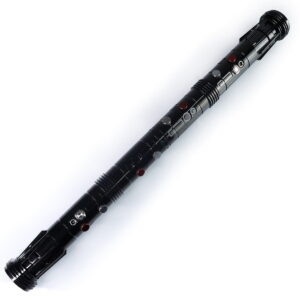
ISABER Double Bladed Lightsaber — RGB Baselit / Xenopixel Staff Saber
Accessories / RGB & Baselit Lightsabers
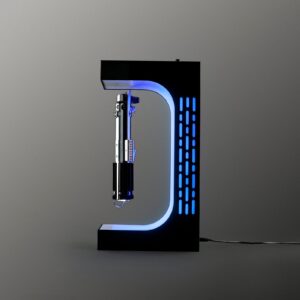
ISABER Magnetic Levitation Lightsaber Display Stand
Electromagnetic display stand that suspends your saber hilt in mid-air with a smooth 360-degree rotation - no cradle, no visible support.