A Proffie lightsaber runs on the Proffieboard — an open-source, open-hardware soundboard that gives the user full control over blade effects, audio, and motion response through firmware they can compile and flash themselves. It is the only mainstream soundboard where the entire feature set is programmable in the Arduino IDE, not hidden behind a vendor app.
The board exists in two current generations: V2.2 (the long-running standard, 256 KB flash) and V3.9 (the 2023+ revision, 512 KB flash with USB charging and a faster SD interface). Both run the same ProffieOS firmware, so a config written for one mostly carries to the other.
ProffieOS is maintained by Fredrik Hubinette (profezzorn) and is GPLv3-licensed. That open lineage is the whole point of the platform — every blade style, gesture, and effect ships as readable, editable source.
This page is the full technical reference: the silicon and board specs, the blade-driving electronics, the audio and motion pipeline, the config architecture, the flashing workflow, the effects library, the version history, and the documented failure modes.
What’s on This Page
- Proffieboard V2.2 vs V3.9 — the hardware comparison
- The Core Silicon — STM32 CPU, RAM, flash
- Blade Driving Electronics — neopixel data pads and LED drivers
- Motion Sensing — the 6-axis IMU pipeline
- The Audio System — amplifier, polyphony, sample spec
- Power Management — battery, USB charging, deep sleep
- The Software Stack: ProffieOS — open-source firmware
- The Config Architecture — blades, presets, prop files
- The Effects Library — what’s programmable
- Flashing and the Workflow — Arduino IDE to WebUSB
- ProffieOS Version History
- Common Proffie Issues and Fixes
- Frequently Asked Questions
Proffieboard V2.2 vs V3.9
The V3.9 keeps the V2.2 footprint and roughly doubles the memory and storage. Both boards share the same design language — an STM32 MCU, a 3-watt mono amplifier, six MOSFET LED drivers, and a 6-axis motion sensor. The V3.9 adds USB charging, a four-lane SD interface, and deep sleep. Here’s the full spec comparison.
| Spec | V2.2 | V3.9 |
|---|---|---|
| MCU | STM32L433C (64-pin) | STM32L452RE (64-pin BGA) |
| Core clock | 80 MHz ARM Cortex-M4 | 80 MHz ARM Cortex-M4 |
| RAM | 64 KB | 160 KB |
| Flash | 256 KB | 512 KB |
| Motion sensor | 6-axis IMU | 6-axis IMU |
| Audio amp | 3 W mono | 3 W mono, S/PDIF or I2S out |
| LED drivers | 6 MOSFETs | 6 MOSFETs, up to 30 V |
| Neopixel data pads | 4 | 4 |
| SD interface | SPI | SDIO (4 data lanes, up to 20 parallel streams) |
| USB charging | No — external charge circuit | Yes — onboard, 450 mA linear |
| Deep sleep | Low-power standby only | Yes, wake via Power/AUX buttons |
| Dimensions | 17.8 × 33.2 × 4 mm | Same footprint as V2.2 |
Memory & Storage — V2.2 vs V3.9
The two upgrades that matter for how much you can cram into one board. RAM tripled, flash doubled.
64 KB
160 KB
256 KB
512 KB
Flash figures from the Artekit V3.9 datasheet. More flash means more presets and more code, not more fonts — fonts live on the SD card.
The Core Silicon
The board runs on an STM32L4-series ARM Cortex-M4 at 80 MHz — the same processor family ProffieOS has targeted since V1. The V3.9 moves from the 48-pin L433 to the 64-pin L452 BGA, which unlocks the extra serial, SPI, I2S, and analog pins used for the new ports and pads.
- RAM. 160 KB on V3.9 (up from 64 KB). The extra headroom is what lets newer ProffieOS builds do MP3 and echo effects without stealing audio buffers.
- Flash. 512 KB on V3.9 (up from 256 KB). Holds more presets and a larger compiled config — relevant when a saber has many fonts with per-font blade styles.
- Clocks. The 80 MHz core handles the full motion-to-sound pipeline with margin. Smooth swing sampling runs at the same rates the algorithm needs — the CPU is not the bottleneck; the SD card is.
- Openness. Every byte is user-compilable. The GPLv3 license means the bootloader, OS, and board design files are all inspectable.
The practical effect: a V3.9 can run a config that a V2.2 would struggle to hold. For most buyers the difference shows up as more simultaneous presets, not faster response.
Blade Driving Electronics
The Proffieboard drives neopixel blades through four dedicated data pads and up to six MOSFET LED channels, with per-pad control over pixel count and style. This is where the platform’s flexibility lives — one board can run a single pixel blade, a crossguard, a staff, or accent LEDs on the same config.
| Pad / Channel | Count | Purpose |
|---|---|---|
| Neopixel data pads | 4 (data1–data4) | Drive WS281X-family strips (WS2812B, SK6812, PL9823) and APA102/Dotstar. |
| LED MOSFET channels | 6 | Drive in-hilt LEDs, accent LEDs, and legacy 3-watt RGB setups. Rated up to 30 V on V3.9. |
| Button pads | 3 | Power, AUX, and one free button — all capacitive-touch capable. |
| Free multi-purpose pads | 3 | Each usable as a 20 mA LED driver, neopixel data, button, or servo pin. |
Blade ID is supported via resistor detection — the board reads a resistor in the blade connector and switches styles automatically. V3.9 ties the detection directly to CPU pins for cleaner reads. A Neopixel blade’s pixel count is set in software (NUM_LEDS), so the same blade can be re-mapped without touching hardware.
Dueling note: the pixel strip is inside the blade, so a hard impact can damage LEDs regardless of board quality. Proffie power is for control, not durability — the blade grade still decides how hard you can swing.
Motion Sensing
A 6-axis IMU — gyroscope plus accelerometer — feeds the motion pipeline that powers smooth swing, clash, stab, and gesture detection. The gyro measures rotation in degrees per second; the accelerometer measures linear force in G. The firmware maps both into the audio and effect logic.
- Smooth swing — the algorithm pioneered by Thexter in 2018 and adopted into ProffieOS that same year. Gyro rotation is sampled continuously and blended into the hum in real time.
- Clash detection — accelerometer spikes above a configurable threshold. Thresholds live in the config, so you can tune for light or heavy dueling.
- Gesture ignition — orientation changes trigger blade on/off without touching a button. Configurable per gesture.
- Stab detection — a linear thrust with almost no rotation, caught by the accelerometer.
All motion thresholds are exposed in the config file — a level of tuning no closed board offers. Every ProffieOS motion behavior is a value you can change and reflash.
The Audio System
ProffieOS plays up to five simultaneous samples with gapless handoff — polyphonic audio, 16-bit, at a 44.1 kHz default sample rate. The board’s 3-watt mono amplifier drives the hilt speaker; V3.9 adds S/PDIF or I2S output for external audio hardware.
| Audio property | Spec |
|---|---|
| Simultaneous samples | Up to 5 (polyphonic) |
| Sample format | 16-bit WAV / PCM |
| Default sample rate | 44.1 kHz |
| Output | 3 W mono amp; S/PDIF or I2S on V3.9 |
| Playback | Gapless — no gap between consecutive samples |
Sound fonts live on the microSD card, not in flash. A 32 GB card ships with most Proffie sabers and holds dozens of fonts. Because fonts are files, adding one is a copy operation — but making the board reference it requires a config edit and reflash (see Flashing and the Workflow).
Power Management
A single protected 18650 Li-ion cell powers the board — typically 3,000–3,600 mAh — with USB charging built into V3.9. The V3.9’s onboard linear charger delivers 450 mA with thermal regulation. V2.2 boards use an external charge circuit.
- Battery type. One protected 18650, nominal 3.7 V. “Protected” matters — the protection circuit stops over-discharge and over-current.
- Charging. V3.9 charges over USB at 450 mA. A 3,200 mAh cell takes roughly 4–5 hours from empty.
- Deep sleep. V3.9 wakes from the Power or AUX buttons, cutting standby drain. V2.2 only reaches a low-power standby.
- Reverse polarity protection. Present on the board, but it does not protect the LED channels — hooking the battery up backwards can damage a neopixel strip.
Runtime scales with brightness and font complexity. Community-reported behavior: full-brightness neopixel on a 3,200 mAh cell runs roughly 40–60 minutes of continuous use, with medium brightness stretching toward 90. Drop master volume 15–20% and runtime climbs further.
The Software Stack: ProffieOS
ProffieOS is the open-source firmware that turns the hardware into a lightsaber — it compiles in the Arduino IDE and is flashed to the board over USB. It is the most actively developed soundboard OS in the hobby, and its feature list sets the pace for closed competitors.
| Capability | Detail |
|---|---|
| License | GPLv3 — fully open source |
| Development | Arduino IDE with the Proffieboard package |
| Blade types | WS281X, PL9823, SK68**, APA102/Dotstar, RGBW, segmented string blades |
| Multi-blade | Dual, crossguard, staff, crystal chamber, accent LEDs, PLI display |
| Effects | Color change, gesture ignition, blaster deflection, lockup, flash-on-clash, stab, tip melt, rainbow, blade spin, unstable, lightning block |
| Modern access | WebUSB config in Chrome, Edit Mode on-saber, MTP drag-and-drop file transfer |
| Extras | Bluetooth (external dongle), IR send/receive, RFID, POV mode, spoken error messages |
ProffieOS is not a “click to configure” app. You edit a text config, compile in Arduino, and flash. The community builds tools like ProffieConfig to wrap the process, but the underlying model is unchanged — open files, editable source, user-owned control.
The Config Architecture
A ProffieOS config is a single C++ file that defines the hardware wiring, the buttons, the blade setups, and the per-font presets. It is the “recipe” for the saber. Three fields matter most to a new user.
| Config field | What it controls | Common value |
|---|---|---|
| NUM_LEDS | LED count in the blade — wrong value means partial or no lighting. | 132 or 144 for a 36-inch neopixel blade |
| PROFFIEBOARD_VERSION | Which hardware the config targets. | 2 (V2.2) or 3 (V3.x) |
| Prop file | Button mapping and gestures — the behavior layer. | e.g. props/saber_sa22c_buttons.h |
Presets pair a sound font with a blade style. Each preset slot references a font folder on the SD card and a style definition in the config. Adding a font means adding a preset, editing the config, and reflashing — the standard Proffie trade-off for the control you get.
Always keep the original config that shipped with a saber — it matches the wiring for accent LEDs, crystal chambers, and special blades. Without it, reconstructing those connections from scratch is the hard version of this platform.
The Effects Library
ProffieOS’s programmable effects are the platform’s headline — blade styles, gestures, and audio behaviors defined in config and community-shared libraries. The two most-used paths are Fett263’s style library (thousands of ready-made styles) and hand-written style syntax for fully custom work.
- Blade styles. Ignition types, color cycles, unstable flicker, fire, cracked crystal, lightning block, blade spin, RGBW mixing.
- Gestures. Gesture ignition/retraction, force push, spin modes, tip drag.
- Audio behaviors. Smooth swing V2, lockup, clash, blaster deflection, stab, melt, background music, power-on voice lines.
- Combat mode. Disables some gestures to prevent mid-duel misfires — toggled by a triple-click.
- Community libraries. Fett263, and others, publish drop-in style packs — copy, paste, reflash.
The depth is real, but so is the entry cost. Copy-paste gets you 80% of the way; custom work means learning ProffieOS style syntax. Both are optional — the saber works out of the box, and you only go as deep as you want.
Flashing and the Workflow
The core Proffie workflow is: install Arduino IDE + the Proffieboard package, edit the config, flash over USB, repeat. On V3.9 with ProffieOS 6+, many settings can be changed without reflashing via WebUSB in Chrome.
- Install. Arduino IDE 1.8.19 or 2.x, then add the Proffieboard boards manager URL:
https://profezzorn.github.io/arduino-proffieboard/package_proffieboard_index.json. - Driver (Windows). Run the ProffieOS DFU installer, or use Zadig against the STM32 bootloader. Use a plastic tool on the tiny BOOT/RESET buttons.
- Connect. USB data cable — charge-only cables fail silently. A loose microSD card is a common cause of disconnects.
- Edit config. Open the sample closest to your saber, set NUM_LEDS and board version, add your font presets.
- Flash. Select the board and port, click Upload. First compile takes 30–90 seconds.
- Verify. The saber emits a brief sound on a successful flash.
WebUSB changes the daily-driver experience. Volume, brightness, and blade length adjust in the ProffieOS Workbench without reflashing. Edit Mode on the saber does the same from the hilt. Reflashing is now reserved for structural changes — new fonts, new styles, new wiring.
The Proffie Flash Loop
Six steps, repeated every time you change the config. First compile takes 30–90 seconds; reflashes after that are fast.
ProffieOS Version History
ProffieOS has moved in roughly annual major releases, each adding capability rather than changing the core model. The timeline tracks the hobby’s shift from niche firmware to the most-featured soundboard OS.
| Version | Notable change |
|---|---|
| V1 (2018) | Smooth swing adopted from Thexter’s technique. The platform’s first identity. |
| V2 (2019) | Proffieboard V2 hardware. Smooth swing becomes the board’s flagship feature. |
| V4 | V2 smooth swing becomes the default — up to 16 blended swing layers. |
| V5 (2022) | WebUSB arrives; browser-based configuration without reflash for common settings. |
| V6 (2023) | Live threshold tuning over WebUSB on V3.x hardware. |
| V7 (2024–) | Expanded Edit Mode and on-saber configuration; MP3/echo effects on V3.9. |
Version discipline matters. Config, sound fonts, and firmware are versioned together — an old config on a new OS build produces unpredictable behavior. The fix is to reflash with a matched full OS pack, not to mix versions.
Common Proffie Issues and Fixes
Proffie failures fall into a small, well-documented set — mostly config values, wiring, and SD cards. The Crucible forum has a diagnosed fix for nearly every one. Here are the ones users report most.
Blade Lights Partially or Not at All
Almost always a NUM_LEDS mismatch — the config says 100 pixels and the blade has 144. Set NUM_LEDS to the actual blade count. If the pogo-pin PCB lights but the blade doesn’t, the config’s blade length is too short.
Sound but No Blade Light
Isolate to the blade/connector side — the board is alive. Check the blade seating, the data wire, and the connector. A multimeter in continuity mode traces the signal path quickly.
Blade Lights but No Sound
The speaker or its wiring is the fault. Check the speaker wire at the board and inspect the cone and leads.
No Sound and No Light
The board may not be receiving power. Check the kill switch position, battery charge and orientation, and battery contacts for corrosion. A dead battery mimics a blown fuse.
Board Not Detected on USB
Swap cables (data, not charge-only), ensure the microSD card is fully seated, use a direct USB port, and re-run the DFU driver installer as administrator. If upload is stuck at 0%, enter bootloader mode — hold BOOT, tap RESET, release BOOT.
Upload Compile Errors
Usually a config formatting problem — a missing semicolon or mismatched bracket. Search the exact error text on The Crucible; most are documented. A bad config compiles-to-wrong-behavior, not hardware damage.
Erratic Behavior Mid-Duel
The saber may be in Battle Mode, which disables gestures to prevent misfires. Triple-click the power button to toggle it off.
Frequently Asked Questions
Q1: What is a Proffie lightsaber?
A: A lightsaber whose soundboard is the Proffieboard — an open-source sound/motion/effect board running ProffieOS. The defining trait is full user control: blade styles, audio, gestures, and motion tuning are defined in a config file you compile and flash yourself in the Arduino IDE.
Q2: What’s the difference between Proffieboard V2.2 and V3.9?
A: Memory and storage. V3.9 keeps the V2.2 footprint but triples RAM to 160 KB, doubles flash to 512 KB, adds onboard 450 mA USB charging, a faster SDIO interface, and deep sleep. V2.2 uses external charging and only reaches low-power standby.
Q3: Is Proffie difficult to program?
A: Basic changes are copy-paste — adding a font preset or adjusting a threshold needs no coding. The learning curve shows up in custom blade styles, which require ProffieOS style syntax. Community tools like ProffieConfig and WebUSB lower the bar for the common cases.
Q4: Does Proffie work with a baselit blade?
A: Technically yes, but you lose the point of the board. Baselit blades can’t render per-pixel effects like scroll ignition or animated styles — you’d be running the most customizable soundboard with none of its visual capability. Proffie’s advanced visuals assume a neopixel blade.
Q5: Does Proffie have smooth swing?
A: Yes — it’s where smooth swing became a standard. ProffieOS runs the V2 algorithm with up to 16 blended swing layers, and exposes every motion threshold for tuning. It is the reference implementation other boards emulate.
Q6: How many sound fonts can a Proffie hold?
A: Effectively unlimited — fonts live on the microSD card, not in flash. A 32 GB card holds dozens of fonts. The practical limit is how many presets your config defines, and 512 KB of flash on V3.9 accommodates far more presets than a V2.2’s 256 KB.
Q7: How do I add a new sound font?
A: Copy the font folder onto the SD card, add a preset to the config referencing it, compile, and flash. On ProffieOS 6+, some settings adjust over WebUSB without reflashing — but a new font still needs a config entry.
Q8: Why won’t my Proffie blade light up?
A: Start with NUM_LEDS — a wrong pixel count lights the blade partially or not at all. Then check blade seating, the data wire, and the connector. If the board recognizes USB, the issue is config or wiring, not the board.
Q9: Does Proffie support Bluetooth?
A: Yes, with an external Bluetooth dongle — there’s a dedicated capacitor spot for it on V3.9. Bluetooth is an add-on, not built in.
Q10: What battery does a Proffieboard use?
A: One protected 18650 Li-ion cell, typically 3,000–3,600 mAh. V3.9 charges over USB at 450 mA — roughly 4–5 hours for a 3,200 mAh cell. Full-brightness neopixel runtime is around 40–60 minutes of continuous use.
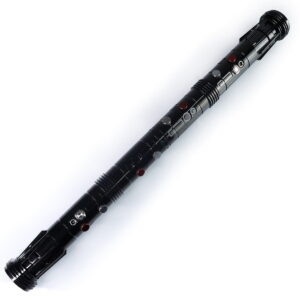
ISABER Double Bladed Lightsaber — RGB Baselit / Xenopixel Staff Saber
Accessories / RGB & Baselit Lightsabers
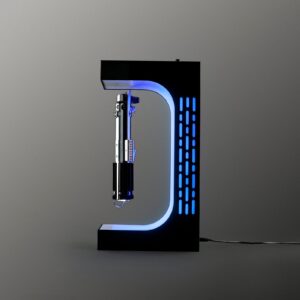
ISABER Magnetic Levitation Lightsaber Display Stand
Electromagnetic display stand that suspends your saber hilt in mid-air with a smooth 360-degree rotation - no cradle, no visible support.