Flash on clash (FOC) is the visual effect that makes a lightsaber blade flash a different color — usually white — for a fraction of a second when it hits something. Hit another blade, a training dummy, or even your own hand, and the impact triggers a sound and a bright burst of secondary light before the blade settles back to its normal color.
The effect has one job: to make an impact feel like an impact. In the films, clashing sabers throw off a burst of light at the contact point. FOC is the hardware’s attempt to recreate that moment — and it’s the single most requested “wow” feature in the hobby.
This page is the full technical reference: what FOC actually is, how the impact is detected, how baselit and neopixel blades flash differently, how each soundboard implements it, the ProffieOS code that controls it, the tuning options that exist, and the failure modes when the flash stops working.
What’s on This Page
- What Flash on Clash Is — the 30-second definition
- How the Impact Is Detected — accelerometer + clash threshold
- Baselit vs Neopixel: How the Flash Looks
- Flash on Clash Across Soundboards — the implementation matrix
- The ProffieOS Code — Clash, Scale, and AlphaL layers
- Tuning Options by Board — color, sensitivity, duration
- Lockup and the FOC Alternation
- Movie Accuracy: White vs Warm Flash
- Common Flash on Clash Issues and Fixes
- Frequently Asked Questions
What Flash on Clash Is
Flash on clash is an impact-triggered blade effect: the blade color switches to a secondary color for a brief moment when the saber detects a collision, then reverts. The most common flash color is white, because white contrasts sharply against almost every base blade color — red, green, blue, purple.
The effect couples two responses that fire together: a clash sound and a light burst. On most boards they’re triggered by the same sensor event, which is why a well-tuned saber flashes and sounds in the same instant.
One distinction matters up front. FOC is a visual effect controlled by the soundboard, not a blade technology and not a sound. Baselit and neopixel sabers both support it — but they display it very differently, and that difference is covered in the section below.
How the Impact Is Detected
An accelerometer in the hilt measures the shock of an impact, and the soundboard compares that reading against a clash threshold. When the measured G-force crosses the threshold, the board fires the clash sound and drives the flash color onto the blade.
| Stage | Hardware | What happens |
|---|---|---|
| 1. Sense | Accelerometer (or combined 6-axis IMU) | Measures linear shock in G-force when the blade or hilt meets resistance. |
| 2. Compare | Soundboard MCU | Compares the shock reading against the configured clash threshold. |
| 3. Trigger | Audio + LED driver | Fires the clash sound and switches the blade to the FOC color. |
| 4. Revert | Firmware | After a set flash duration (often 300–600 ms), the blade returns to its base color. |
The threshold is the key tuning value. A low threshold triggers on lighter taps — great for choreography, annoying in heavy dueling where every blocked strike sets off a flash. A high threshold needs a real impact, which cuts false triggers during hard exchanges.
The direction of the setting is counterintuitive at first: raising the clash threshold makes flashes harder to trigger; lowering it makes them easier. Community guidance is to tune in small increments and retest with real swings.
Baselit vs Neopixel: How the Flash Looks
On a neopixel saber the flash appears at the exact point of contact; on a baselit saber the whole blade brightens at once. Same trigger, different display — and the difference comes down to where the LEDs live.
| Dimension | Baselit (RGB) | Neopixel |
|---|---|---|
| LED location | Single high-power LED in the hilt | LED strip running the full blade length |
| Flash on impact | Entire blade brightens at once | Localized flash at the contact point |
| Blade electronics | Hollow blade, no electronics | LED strip inside the blade |
| Durability for dueling | Higher — no fragile strip to break | Lower — hard hits can kill pixels |
| Visual realism | Whole-blade flash, less detail | Cinematic point-of-contact flash |
That localized flash is the big neopixel advantage. When two neopixel blades clash, the light burst happens at the exact spot they touch — the same way the films show it — instead of the whole blade lighting up from the hilt.
Flash Pattern on Impact — Baselit vs Neopixel
Same clash, two displays. Neopixel flashes at the strike point; baselit flashes the whole blade.
Flash on Clash Across Soundboards
Every modern soundboard supports flash on clash — the differences are in how much you can customize it. Open boards like Proffie expose the full effect as code; budget boards preconfigure it and expose a few toggles; a few older boards treat it as an upgrade rather than a standard feature.
| Board | FOC support | User-facing controls |
|---|---|---|
| Proffieboard (ProffieOS) | Full, code-driven | Unlimited — color, threshold, timing, layers, sync to audio |
| Xenopixel V3 | Standard | Button holds (blink counting) + Bluetooth app on V3.0 |
| CFX (Plecter Labs) | Standard | RICE editor — color, sensitivity, per-font settings |
| Golden Harvest | Standard | Per-font config |
| SNV4 (baselit core) | Standard | Toggle via button holds; app on some versions |
| Baselit V3 (budget) | Standard | Toggle, limited color options |
| Obsidian (older boards) | Upgrade-dependent | On/off, sensitivity, flash duration on the XT version |
The split that matters for buyers: budget baselit boards give you a toggle and a default white flash; neopixel boards give you the point-of-contact effect and (on Proffie) total control. If FOC is a priority and you want to tune it, the open boards are the ones that let you.
The ProffieOS Code
On a Proffieboard, flash on clash is one line in a blade style — an AlphaL layer wrapped around a Clash trigger. The canonical form:
AlphaL<White, Scale<Clash<26000>, Int<0>, Int<32768>>>Breaking it down:
- White — the flash color. Swap it for any
Rgb<>value to change what the blade flashes. - Clash<26000> — the sensitivity threshold. Lower values trigger on lighter hits; higher values need harder impacts.
- Scale<Clash, Int<0>, Int<32768>> — maps the clash event from off (0) to full brightness (32768) on the 16-bit scale.
- AlphaL<> — the overlay container. It sits on top of the base blade style so the flash overrides the base color while it fires.
A full style stacks the flash layer on top of a base effect, like a pulsing color:
StylePtr< Layers<
  Pulsing<Red, Rgb<40,0,0>, 2000>,
  AlphaL<White, Scale<Clash<26000>, Int<0>, Int<32768>>>
> >()
ProffieOS can also sync the flash fade to the actual clash audio file, so the light dies out exactly when the sound does:
ResponsiveClashL<White, TrInstant, TrFadeX<WavLen<EFFECT_CLASH>>, Int<26000>>This is the power of an open board: the effect is not a menu option, it’s a building block you arrange. Community style libraries and the ProffieOS Style Editor (fredrik.hubbe.net) contain hundreds of ready-made FOC styles to copy.
Tuning Options by Board
The three things you can usually tune are the flash color, the clash sensitivity, and the flash duration. What’s available depends entirely on the board.
| Board | Color | Sensitivity | Duration |
|---|---|---|---|
| Proffie | Any RGB value in code | Clash<> threshold | TrFade value or WavLen sync |
| Xenopixel | Button holds (30+ colors) / app | App slider (V3.0) | Preset only |
| CFX | RICE color picker | RICE sensitivity | Per-font setting |
| Budget baselit | Fixed (usually white) | Toggle only | Fixed |
The reality for most buyers: a budget board flashes white and that’s it. If you want a colored flash, an adjustable threshold, or a flash that syncs to the sound, you need a board with exposed settings — which almost always means stepping up from the entry-level core.
How Much FOC Control Each Board Gives You
Three things can be tuned: flash color, clash sensitivity, and flash duration. Budget boards tune none of them.
3 of 3
2 of 3
2 of 3
0 of 3
Control level from board documentation and community guides. Open boards (Proffie) tune everything; budget cores expose a toggle at most.
Lockup and the FOC Alternation
During a blade lockup — when two blades press together — many boards alternate the blade between the FOC color and the main color, creating a rapid shimmer at the contact. It’s the same effect family, triggered by a sustained press instead of a single impact.
The distinction matters because lockup and clash use different triggers on most boards. A clash is a short, sharp impact. A lockup is a sustained push — the board detects that the blades are pressing together and holds the effect until they separate.
On boards that support it, the lockup color is often the same flash color you configured for FOC, which is why a good FOC setting improves lockups too. They share the same color slot on several boards.
Movie Accuracy: White vs Warm Flash
In the films, a saber clash flashes warm — yellowish or orange — not the pure white most toys and budget sabers use. The hobby has argued about this since at least 2012, when custom builders on the fx-sabers forums first debated the “correct” FOC color.
Here’s the short version of that debate:
- Warm flash (yellow/orange) — matches the movies most closely. Enthusiasts building for screen accuracy choose amber or warm white.
- Pure white — contrasts hardest against colored blades and reads clearly at a distance. It’s the default on most boards because it works with any base color.
- Base-color flash — some builders keep the main blade constant and only add brightness, arguing the blade itself never changes color in the films.
There’s no “right” answer — it’s a taste trade-off between movie accuracy and visual pop. But if you’re building for accuracy, warm white is the closer choice, and open boards let you dial in exactly that amber tone.
Common Flash on Clash Issues and Fixes
FOC fails in a small, well-mapped set of ways — and most of them are not the sensor. The community has diagnosed each one.
The Flash Stopped Working
Start with the battery. Low voltage is the leading cause of missing effects — the board still detects the clash but can’t drive the extra LED power for a flash. Fully charge and retest before touching anything else.
The Flash Was Never There
Some sabers ship with FOC disabled, or the board may not support it at all. On budget baselit cores, check the manual for a toggle — on several SNV4-style cores, holding the power button through a set number of blinks re-enables it. If the board’s spec sheet doesn’t list FOC, it probably doesn’t have it.
Flashes Fire on Every Little Tap
The clash threshold is too low for your motion style. Raise the threshold in small increments (Proffie: the Clash<> value; CFX: RICE sensitivity; others: app or config) and retest. Hard dueling needs a higher threshold so blocked strikes don’t spam flashes.
Real Impacts Don’t Flash
The opposite problem — the threshold is too high, or the board is suppressing. In fast dueling, a clash during an active FOC flash may not re-register until the previous one finishes. If the board has a clash-suppression setting, check it.
Sound Clashes but No Flash
If the clash sound fires but the blade doesn’t flash, the trigger works — the problem is the LED side. On diy-built sabers this is almost always a wiring issue: a wrong resistor value, a shared resistor across LED dies, or the FOC LED wired to the wrong pin. On a stock saber, it’s usually a config or toggle issue.
Flash Looks Washed Out or Wrong Color
If the flash color looks off, the board may be mixing the flash over a bright base color. On open boards, try a brighter flash color or reduce the base brightness during the flash. Warm-white accuracy builders run into this when the flash color is set too close to the base blade color.
Frequently Asked Questions
Q1: What is flash on clash on a lightsaber?
A: It’s an impact-triggered visual effect. When the blade hits something, the soundboard detects the shock and flashes the blade a different color — usually white — for a fraction of a second before it reverts. It’s paired with a clash sound so the impact feels and sounds like a hit.
Q2: Is flash on clash the same as smooth swing?
A: No. Smooth swing is the audio system that makes swing sounds react to motion. Flash on clash is the light effect that fires on impact. They work together — a clash triggers both a sound and a flash — but they’re separate systems. Smooth swing is continuous; FOC is event-based.
Q3: Do all lightsabers have flash on clash?
A: Most modern ones do, but not all. It’s standard on Xenopixel, CFX, Golden Harvest, Proffie, and most current budget baselit cores. Some older boards treat it as an upgrade, and a few (like licensed Hasbro Force FX sabers) don’t include it at all.
Q4: Does baselit or neopixel flash better on clash?
A: Neopixel displays it more realistically — the flash appears at the exact point of contact, like the films. Baselit flashes the whole blade at once because there’s a single LED in the hilt. Both support the effect; neopixel just shows it with more detail.
Q5: Can I change the flash on clash color?
A: Depends on the board. Proffie lets you set any RGB color in code. CFX has a color picker in RICE. Xenopixel V3 offers 30+ colors via button holds or the app. Budget baselit boards are usually fixed at white.
Q6: How do I make flash on clash more sensitive?
A: Lower the clash threshold. On Proffie, that’s the value inside Clash<> in the blade style. On CFX it’s a RICE setting. On Xenopixel V3 it’s an app slider. Lower threshold = flashes on lighter taps.
Q7: Why is my flash on clash not working?
A: Charge the battery first — low voltage is the most common cause of missing effects. Then check whether FOC is enabled on your board (some ship disabled). If the sound plays but the blade doesn’t flash on a diy-built saber, check the FOC LED wiring and resistor values.
Q8: Is flash on clash movie accurate?
A: Sort of. The films show warm yellow-orange flashes at the clash point. Most sabers default to pure white because it contrasts hardest against any base color. If accuracy matters, warm white or amber is closer — and open boards let you dial it in.
Q9: Does flash on clash drain the battery?
A: Somewhat. The flash drives extra LED current for a moment on every impact, and frequent clashes add up. It’s a small drain compared to blade brightness itself, but heavy dueling with a low threshold will use more than occasional play.
Q10: Can I use flash on clash for dueling?
A: Yes — it’s a favorite for choreography and light dueling because it sells every hit. For heavy sparring, the main concern isn’t the flash but the blade itself: neopixel blades can develop dead pixels from hard strikes, while baselit blades handle contact better.
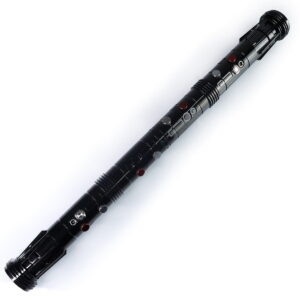
ISABER Double Bladed Lightsaber — RGB Baselit / Xenopixel Staff Saber
Accessories / RGB & Baselit Lightsabers
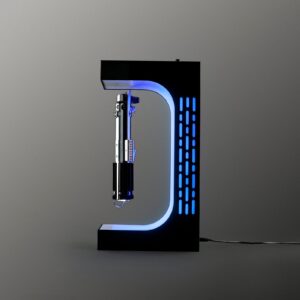
ISABER Magnetic Levitation Lightsaber Display Stand
Electromagnetic display stand that suspends your saber hilt in mid-air with a smooth 360-degree rotation - no cradle, no visible support.