
Crystal Focus X is a closed-firmware lightsaber soundboard configured by editing text parameter files rather than by writing code. That single design decision defines everything else about it: how a build is tuned, who can tune it, and where it stops being the right board.
Most of the saber market splits boards into “easy” and “powerful” and leaves it there. CFX sits at a specific point on that line, and the point is set by its configuration model, not by its hardware.
This page covers the board itself — its specifications, its two-layer profile system, how font selection works through a resistor, how tuning happens in real time, and the power-path change that altered how hilt builds are wired.
It is a single-board reference. If you are still deciding between boards rather than understanding this one, the comparison table near the end is the shorter path.
What’s on This Page
- What Crystal Focus X Is
- The Board at a Glance
- Text Files, Not Code — How CFX Is Configured
- Blade Profiles and Color Profiles Are Two Layers
- Tangible Font Selection — A Resistor in the Hilt
- Real-Time Editing — R.I.C.E. and the App Layer
- Cell Count, Power Path, and the Missing Regulator
- Driving a Pixel Blade — the Zero CPU Driver
- Fitting the Board — Size, Thermals and Alerts
- CFX or Proffieboard — Where the Split Falls
- Frequently Asked Questions
What Crystal Focus X Is
Crystal Focus X is a soundboard for lightsaber builds built around an ARM32 processor, with a 3.2 W digital audio amplifier, a nine-axis motion sensor, and a configuration model based on editable text files. It is a closed platform — the firmware is not open source — and that is a deliberate counterpart to its main rival, not an oversight.
The board is the tenth generation of the Crystal Focus line, and the generational jump is visible in its size: it shrank substantially compared to the version before it.
Its defining feature at launch was a motion-reactive hum system, which responds to how the saber is moved rather than switching between fixed clips. That behaviour is the reason the board is often described as the one that makes a saber sound alive rather than triggered.
The amplifier is specified in watts rather than in volume steps, and it holds output constant as the battery drains. That is a design choice with a practical consequence: a saber does not get quieter over a session, so the audio does not double as a battery gauge.
The motion sensor is a nine-axis unit, combining accelerometer, gyroscope and magnetometer data. Swing detection, clash detection and blade-angle effects all read from that one sensor rather than from separate components.
The Board at a Glance
The board measures roughly 34 × 21 mm, runs on one or two cells, carries four on-board colour channels, drives pixel blades through a dedicated driver with two outputs, and plays 16-bit audio from a removable card that also mounts as a USB drive. OLED display support and a diagnostic LED are built in.
Read the table as the short version of everything that follows. Each row is expanded in its own section below.
| Specification | Value | What it means in a build |
|---|---|---|
| Processor | ARM32 | Runs motion fusion and audio in real time |
| Audio amplifier | 3.2 W digital | Output stays constant as the battery drains |
| Footprint | ~34 × 21 mm | Fits slim and thin-neck chassis |
| Motion sensing | 9 degrees of freedom | Swing, clash and angle from one sensor |
| Colour channels | 4 (RGBW) on-board | In-hilt LED builds need no external driver |
| Pixel blade driver | 2 outputs, zero CPU load | Blade animations do not starve the audio |
| Audio format | 16-bit WAV, 22.05 or 44.1 kHz | Standard files, no proprietary encoding |
| Storage | Removable card, USB mass storage | Fonts edited without removing the card |
| Cell support | 1 or 2 cells, solder jumper | Switched by a jumper, not a firmware hack |
| Display | 128 × 32 OLED | Optional; runs the in-hilt menu |
| Diagnostics | Status LED, temperature and voltage alerts | Warns before a build misbehaves silently |
Text Files, Not Code — How CFX Is Configured
CFX is configured by editing parameters in text files on the card, not by compiling code. Colour values, blade behaviour, swing thresholds and effect timings are all editable strings and numbers, which means the person tuning a saber never has to build anything — but also cannot change what the firmware does.
Configuration is organised across a small set of files rather than one master document. A main parameter file holds the board-wide settings; a colour file holds colour definitions; per-font files hold settings that change with the sound font; and a special-effects file holds the less common behaviours.
The trade-off is precise and worth stating plainly. A text-parameter model is fast to learn and hard to break. You can change a value, watch the result, and change it back. What you cannot do is invent an effect the firmware does not already contain.
That is the whole difference between this board and an open-source one. Both are configured by editing a file; only one of them lets you write new behaviour into that file.
For most builders the distinction never comes up. A build that wants a stable, well-behaved saber with a deep effect set is fully served by parameter editing. The limitation only binds when the goal is an effect nobody has implemented yet.
Blade Profiles and Color Profiles Are Two Layers
CFX separates blade behaviour from colour into two independent layers. A blade profile governs how the blade behaves — flicker, shimmer, ramp, ignition shape. A colour profile governs what colour it is and how that colour behaves. Either can be swapped without disturbing the other.
The separation matters because the two change on different schedules. A builder might settle on one ignition feel permanently and experiment with colour endlessly, or the reverse.
Blade profiles are numbered and selected by index, with a large set available — on the order of several dozen slots. Because they are indexed rather than named, a build can carry many and switch between them from the in-hilt menu.
That count is the practical answer to a question that comes up constantly: how many different blade looks can one saber hold? Enough that the limit is attention, not storage.
Colour profiles sit on top and carry their own effects. A colour is not just a value here; it can arrive with its own behaviour attached, so switching colours can change the character of the blade rather than only its hue.
The layered model is why tuning a CFX saber feels like adjusting rather than rebuilding. Behaviour and colour move on separate tracks, both driven by the same text parameters underneath.
Tangible Font Selection — A Resistor in the Hilt
CFX can select a sound font by reading the resistance of a component wired into the saber, rather than by a menu command. A resistor of a given value corresponds to one font slot, so swapping a part in the hilt changes which font loads — and the same circuit detects whether a blade is fitted at all.
The board reads that resistance as an analogue voltage on a dedicated input pin and converts it with a twelve-bit converter, which is why the mapping is reliable rather than approximate.
Around sixteen slots are available through this method. That ceiling is a function of the resolution and the practical spacing between resistor values, not of the board’s general capacity.
The clearest use is a saber with more than one configuration. Fitting a different resistor-bearing part selects a different font, so the same hilt presents as a different weapon without touching a menu.
The same input doubles as blade detection. With no blade fitted, the reading falls outside the font slots, and the board can use that to refuse to start — which prevents an ignition into nothing and the noise and confusion that follows.
It is worth separating this from blade identification, which is a related but distinct idea on other platforms. Here the resistor is an accessory in the hilt; on some other boards the equivalent part lives on the blade side. A blade wired for one scheme is not directly interchangeable with the other.
Real-Time Editing — R.I.C.E. and the App Layer
CFX can be tuned while running. A companion application connects over USB or a Bluetooth module and edits parameters live, so a change to a swing threshold or a colour mix shows on the saber immediately instead of after a card swap and a power cycle.
That loop is the practical advantage of a parameter-based board. Editing a text file is fine for a value you know; finding the right value is much faster when you can hear each increment as you make it.
Parameters can be exported and re-imported, which turns a tuned configuration into a file that can be kept, shared or reapplied. A build’s feel becomes something you can hold rather than something you remember.
Phone-side tools extend the same idea to colour control, letting a colour be dialled in from a device rather than edited as numbers.
None of this requires a computer at the saber. The card mounts as a standard USB drive, so fonts and parameters can be managed by plugging the saber in and treating the card like any other folder.
Cell Count, Power Path, and the Missing Regulator
CFX supports both one-cell and two-cell builds, and switching between them is done with a solder jumper rather than a firmware change. The more consequential point is a generational break: this board does not carry the on-board current regulator its predecessors had, so hilt LED builds are now wired for direct drive.
The two-cell configuration needs an extra part to run a pixel blade: a step-up converter to supply the higher rail the strip expects. Without it, a two-cell build cannot drive a pixel blade at the voltage the strip needs.
Removing the regulator moved a decision from the board to the builder. On earlier generations, current limiting was handled on-board. Now the drive design has to come from the cell configuration and the wiring, which is a meaningful change for anyone assembling in-hilt LEDs.
That is not a defect, but it is the kind of change that catches builders who are working from notes written for the previous version. The drive outputs remain available for a crystal chamber and for external regulators.
Voltage is measured and alerted on, so the build reports its supply state rather than failing without explanation. Combined with the temperature alert, a session that is pushing the electronics too hard gives a warning before it gives a fault.
Driving a Pixel Blade — the Zero CPU Driver
Pixel blades are driven by a dedicated on-board driver with two outputs that generates the strip signal without occupying the main processor. Audio and motion sensing therefore keep their full timing budget while the blade animates.
That matters more than it sounds. Blade effects and sound are both timing-sensitive, and a board that has to service a long strip in software will eventually show it — as audio stutter, as a dropped swing, or as an effect that lags the motion that triggered it.
Level shifters on the outputs handle the voltage difference between the board’s logic and what the strip expects. That is a detail a builder only notices in its absence, when a strip behaves erratically because its data line is being driven outside its tolerance.
The driver supports the common addressable strip families, in both three-channel and four-channel colour arrangements, and it also serves the in-hilt path through the same board’s colour channels.
The practical upshot is a build that does not have to choose. A saber can carry both an in-hilt LED and a pixel blade without the two competing for the processor, which is what makes the board viable across both hilt-animation and blade-animation builds.
Fitting the Board — Size, Thermals and Alerts
The board is small enough for slim and thin-neck builds, but the chassis around it still has to leave room to route the blade wires, the accent wiring and the card access. Accent control for up to nine LEDs is built in, and the board reports temperature and voltage so a tight install does not fail silently.
Accent LEDs are the small indicator lights inside a hilt — crystal chambers, control boxes, pommel glow. The board sequences up to nine of them, which is a larger set than most builds use and rarely the limiting factor.
Heat is the constraint that decides real layouts. The audio amplifier and the blade driver are the two heat sources, and a chassis that surrounds them without any conduction path will hold that heat next to the components producing it.
That is where the temperature alert earns its place. A build that is running hot enough to matter will say so rather than degrading quietly — and the fix is almost always a chassis change, not a firmware setting.
The diagnostic LED serves a different purpose at a different moment: it reports board state during assembly, before the saber is closed up and before a menu is reachable.
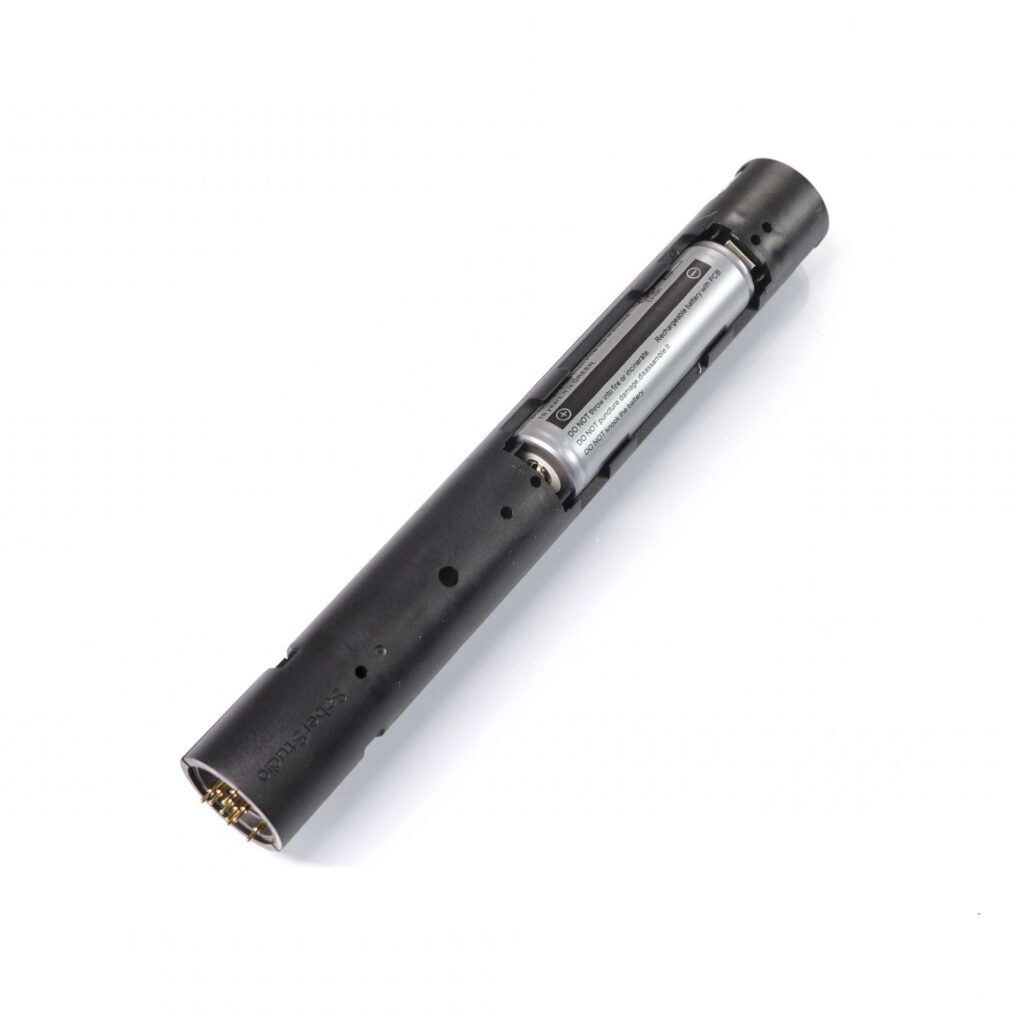
For builds where the board is only one system among several, the site covers how an internal chassis is laid out around it and which parts must match which.
Neopixel Lightsaber Soundboard Kit Proffie 2.2
Accessories / Neopixel Lightsabers
CFX or Proffieboard — Where the Split Falls
The choice between CFX and Proffieboard is not a quality ranking. It is a choice about how you want to configure a saber: CFX is tuned through parameter files and menus and cannot have new behaviour written into it, while Proffieboard is configured by code and can. Pick by which of those two you want to be doing.
Both sit at the top of the board market, and both are demanding to assemble. The difference that decides most builds is the configuration model, not the electronics.
| Crystal Focus X | Proffieboard | |
|---|---|---|
| Configured by | Editing text parameter values | Writing and compiling code |
| Firmware | Closed | Open source |
| New effects | Limited to what the firmware contains | Can be written from scratch |
| Real-time tuning | Yes, over USB or Bluetooth | Requires a rebuild and reflash |
| In-hilt menu | Yes, with an OLED fitted | Limited |
| Blade detection | Accessory resistor in the hilt | Resistor on the blade side |
| Wireless built in | Via an added module | Via an added module |
The honest summary is that they are different tools. A builder who wants a stable saber with a deep, well-tested effect set and no interest in writing code gets more from CFX. A builder whose goal is an effect that does not exist yet needs the open board, because only that one will accept the new behaviour.
The related distinction worth knowing before you buy anything is what each board in the market does differently, and how the font files themselves are organised.
Frequently Asked Questions
Q1: What is Crystal Focus X?
A: A closed-firmware lightsaber soundboard built on an ARM32 processor, with a 3.2 W digital amplifier, a nine-axis motion sensor and a configuration model based on editing text parameter files. It is the tenth generation of the Crystal Focus line and is one of the two boards at the top of the hobby market.
Q2: Is CFX open source?
A: No. The firmware is closed, which means effects are limited to what the firmware already contains. You can change parameters freely, but you cannot write new behaviour into the board. That is the main structural difference between it and an open-source board.
Q3: How is Crystal Focus X configured?
A: By editing text files on the removable card. A main parameter file holds board-wide settings, a colour file holds colour definitions, per-font files hold settings that change with the sound font, and a special-effects file holds less common behaviours. No compilation is involved.
Q4: What is the difference between a blade profile and a color profile on CFX?
A: A blade profile controls how the blade behaves — flicker, shimmer, ramp and ignition shape. A colour profile controls what colour the blade is and how that colour behaves. They are independent layers, so either can be changed without disturbing the other.
Q5: How does CFX select sound fonts without a menu?
A: Through a resistor wired into the saber. The board reads its resistance as an analogue voltage on a dedicated pin and converts it with a twelve-bit converter, mapping around sixteen discrete values to font slots. Changing the resistor-bearing part changes which font loads.
Q6: Can CFX detect whether a blade is fitted?
A: Yes. The same resistor input used for font selection also serves as blade detection. With no blade fitted the reading falls outside the font slots, and the board can refuse to ignite — which prevents an ignition into nothing.
Q7: What is R.I.C.E. on a CFX saber?
A: A companion application that connects over USB or a Bluetooth module and edits parameters while the saber is running, so a change to a swing threshold or a colour mix shows immediately. Parameters can also be exported and re-imported, turning a tuned configuration into a file you can keep or share.
Q8: Does CFX run on one battery cell or two?
A: Both. Switching between them is done with a solder jumper rather than a firmware change. A two-cell build driving a pixel blade also needs a step-up converter to supply the higher rail the strip expects.
Q9: Why does CFX not have an on-board current regulator?
A: It was removed as a generational design change, moving current limiting off the board and into the build’s cell configuration and wiring. Earlier generations handled it on-board, so builders working from older notes need to account for the difference.
Q10: Is Crystal Focus X better than Proffieboard?
A: They are different tools rather than better and worse. CFX is tuned through parameter files and menus and is faster to learn and adjust in real time. Proffieboard is configured by code and can have new effects written into it. Choose based on which configuration model you want.
Related reading on this site: the full board comparison, how sound fonts are structured, and chassis layout and fitment.
ISABER Lightsaber Battery Charger — USB-C 18650 Charger
Accessories / RGB & Baselit Lightsabers
High-quality Thickened Canvas Lightsaber Bag
Accessories / RGB & Baselit Lightsabers