A lightsaber soundboard is the control electronics inside the hilt that runs the blade, the audio, and the motion effects. Today’s market is dominated by four boards: Proffie, Crystal Focus X (CFX), Golden Harvest V4, and Xenopixel V3.
Everything you hear and see on a modern saber — the smooth swing, the ignition animation, the flash on clash, the sound fonts — is produced by one of these boards.
The four are not interchangeable. They differ in processor power, amplifier output, connectivity, programming depth, and price. One board’s easiest path is another board’s steepest learning curve.
This page is the technical reference: what each board is, its key specs, how the audio and driving electronics compare, and the decision factors that separate them.
All figures below come from manufacturer datasheets and manuals (Artekit for Proffie, SaberTec for Golden Harvest, Plecter Labs for CFX) and community documentation. Where a spec isn’t published, it’s marked as such rather than guessed.
What’s on This Page
- The Big Four Boards at a Glance
- What a Soundboard Actually Does
- Proffieboard — the Open-Source Standard
- Crystal Focus X — the Legacy Workhorse
- Golden Harvest V4 — the Audio King
- Xenopixel V3 — the Mass-Market Leader
- Audio Output — Head to Head
- Connectivity & Apps
- Programming & Customization Depth
- Blade Compatibility
- How to Choose
- Frequently Asked Questions
The Big Four Boards at a Glance
All four boards run smooth swing — the defining feature where the hum and clash audio respond to motion in real time rather than playing static triggers — but they split into two philosophies: open code vs. closed app. Here’s the full spec comparison.
| Spec | Proffie V3.9 | CFX | GHv4 | Xenopixel V3 |
|---|---|---|---|---|
| Maker | Fredrik Hubinette (open) | Plecter Labs | SaberTec | Nexus / LGT ecosystem |
| Board size | 17.8 × 33.2 × 4 mm | 34.30 × 20.75 mm | 34.5 × 17.9 × 3.7 mm | Not published |
| Processor | STM32L452RE, 80 MHz | STM32 (not fully public) | Dual-core + co-processor, RTOS | ESP32-family, native BT |
| Flash / RAM | 512 KB / 160 KB | Not published | Not published | Not published |
| Audio amp | 3 W mono | Not published | 4 W max (largest) | 2 W max |
| Simultaneous samples | Up to 5 | Polyphonic | Up to 5 | Not published |
| LED drivers | 6 MOSFETs | Multi-channel | 10 channels (4×9 A + 6×20 mA) | Neopixel + accent |
| Native BT/WiFi | No (external add-on) | No | Yes — both on board | Yes — Bluetooth |
| Config method | Arduino IDE + code | Menu + text files | SD card + app/web | Mobile app + SD card |
| Open source | Yes (GPLv3) | No | No | No |
| App ecosystem | ProffieOS Workbench (WebUSB) | RICE (USB) | ForceSync + GH Commander | XenoConfigurator |
| Battery / charging | 1×18650, 450 mA USB | 1×18650, external charge | 1×18650, Seedling USB module | 1×18650, BMS + USB-C |
| Positioning | Maximum customization | Premium menu-driven | Best audio + built-in wireless | Easiest, mass-market |
Three of the four boards target the same hobbyist install market; Xenopixel is the odd one out, built for factory drop-in cores. That difference — hobbyist solder-in vs. plug-and-play core — drives most of the real-world choices.
What a Soundboard Actually Does
A soundboard has four jobs: drive the blade LEDs, play audio, read the motion sensor, and run the config that ties effects to inputs. Every board on this page does all four; they differ in how deep you can reach into each.
- Blade driving — sends data to a neopixel strip (per-pixel effects) or fires MOSFET channels for in-hilt LEDs (baselit).
- Audio — plays WAV-based sound fonts from a microSD card through a mono amplifier and hilt speaker.
- Motion — a 6-axis IMU (gyro + accelerometer) detects swings, clashes, stabs, and gestures, feeding the audio and effects.
- Config — maps buttons, fonts, blade styles, and thresholds. This is where the four boards diverge most.
The practical upshot: sound quality and effects are capped by the board, but ease of setup is capped by the config system. A board’s “power” is really how much of that config is exposed to you.
Proffieboard — the Open-Source Standard
The Proffieboard is the only mainstream soundboard whose entire feature set is defined in source code you compile yourself — open hardware, GPLv3 firmware (ProffieOS), and Arduino IDE as the config tool. It is the reference implementation that other boards measure against.
| Proffie V3.9 spec | Value |
|---|---|
| MCU | STM32L452RE, 80 MHz ARM Cortex-M4 |
| Flash / RAM | 512 KB / 160 KB |
| Audio | 3 W mono, S/PDIF or I2S out, 44.1 kHz default |
| LED driving | 6 MOSFETs + 4 neopixel data pads |
| Motion | 6-axis IMU |
| Connectivity | USB; Bluetooth only via external add-on |
| Charging | 450 mA onboard USB, deep sleep |
| License | GPLv3, fully open |
Proffie’s depth is its whole identity — Fett263’s style library alone offers thousands of community blade styles, and any effect is reachable in code.
That power has a price: adding a font means editing a config file, compiling, and flashing. The community has wrapped the flow (ProffieConfig, WebUSB Workbench), but the model stays the same — files you edit, code you own.
There’s no native Bluetooth on Proffie — adding it means soldering an external module with several delicate wires inside the hilt. Buyers who want app control on a Proffie need to factor that in; buyers who never want to open the hilt should look at the other boards.
Crystal Focus X — the Legacy Workhorse
CFX is Plecter Labs’ high-end board — a premium, menu-driven system that gets you Proffie-class capability without writing code. It has been a benchmark in the hobby for years and remains a default choice in many custom installs.
| CFX spec | Value |
|---|---|
| Board size | 34.30 × 20.75 mm (9-axis version) |
| Config | On-hilt menu + text files (config.txt, colors.txt, font_config.txt) |
| Audio | SmoothSwing, polyphonic, vocal menu option |
| Power | Sleep + deep-sleep timers, no kill key needed |
| Software | RICE (Mac/Win) for real-time USB config |
| Open source | No |
CFX’s config is parameter-driven — you change values in plain text files and the board picks them up, no compiling. The vocal menu even lets you configure a saber with no computer at all, navigating by spoken prompts.
That makes it a favorite for installers who want depth without a programming environment.
The trade-off is the same as every closed board: you’re limited to what Plecter Labs ships. Community feature additions don’t exist the way they do on open-source Proffie.
CFX also relies on STM32 chips whose supply has been volatile — a cost factor the hobby has felt in board pricing.
Golden Harvest V4 — the Audio King
Golden Harvest V4 is SaberTec’s flagship, released in late 2024 — the loudest board of the four, the most LED channels, and the only one with both WiFi and Bluetooth built in. It targets duelers and installers who want top audio and wireless control.
| GHv4 spec | Value |
|---|---|
| Board size | 34.5 × 17.9 × 3.7 mm |
| Processor | Dual-core + third co-processor, RTOS |
| Audio amp | 4 W max, 115 dB dynamic range, 100 dB SNR |
| Simultaneous audio | Up to 5 files at once |
| LED channels | 10 total — 4×9 A (main) + 6×20 mA (accent) |
| Speaker support | 1–6 W, 4/8/16/32 Ω |
| Wireless | WiFi + Bluetooth onboard |
| Apps | ForceSync (Bluetooth) + GH Commander (web) |
| Storage | microSD; optional Seedling USB module |
GHv4’s 4 W amplifier is the biggest of the four — notably louder than the 2 W Xenopixel — and its 10 LED channels handle multi-blade, crystal chamber, and accent builds.
The dual-core processor runs an RTOS, and the board supports OLED displays and wireless file transfer to the SD card.
Positioning-wise, GHv4 sits between the app-driven boards and the code-driven ones: full menu access on the hilt, deep text-file config, and no soldering required for wireless — but it is not open source. It plays CFX-compatible smooth-swing fonts, which widens its font pool.
Xenopixel V3 — the Mass-Market Leader
Xenopixel V3 is the board inside the majority of factory-built sabers today — a plug-and-play core with native Bluetooth, app control, and no soldering or code required. It commands the largest market share of the four, and most first-saber buyers will encounter it first.
| Xenopixel V3 spec | Value |
|---|---|
| Processor | ESP32-family MCU with native Bluetooth |
| Sound fonts | 50 (16 built-in + 34 on SD) on current builds |
| Audio amp | 2 W max (smallest of the four) |
| Blade | Neopixel pixel strip; also in-hilt LED variants |
| Charging | USB-C with battery management (BMS) |
| Connectivity | Bluetooth to XenoConfigurator app |
| Assembly | Factory core, zero-solder drop-in |
The XenoConfigurator app handles what other boards make you configure in files: battery level, volume, brightness, motion sensitivity, blade length, firmware updates, and effect settings per sound theme. It even plays music from the saber. That ease is why it dominates the market.
The honest limits: the 2 W amp is quietest of the four, and customization is menu-level — you can’t write a custom blade style like on Proffie. For most buyers that trade is fine; for builders it’s the reason they choose elsewhere.
Audio Output — Head to Head
Amplifier output is the biggest published spec gap between the four: GHv4 leads at 4 W, Proffie sits mid-pack at 3 W, Xenopixel trails at 2 W, and CFX doesn’t publish a figure. All four run 16-bit WAV sound fonts and support smooth swing.
Amplifier Output — Watts, Published Specs
Higher output = louder and more headroom on high-SNR fonts. GHv4 is the loudest board; Xenopixel the quietest.
4 W
3 W
n/p
2 W
Amp figures from manufacturer datasheets (SaberTec, Artekit) and vendor specs. CFX doesn’t publish an amp rating — treat loudness claims for it as anecdotal.
Connectivity & Apps
Native wireless splits the four cleanly: GHv4 has both WiFi and Bluetooth on board, Xenopixel has Bluetooth, and Proffie and CFX have neither without an add-on. This is often the deciding factor for buyers who want app control.
| Board | Native wireless | App / software | What the app does |
|---|---|---|---|
| GHv4 | WiFi + Bluetooth | ForceSync (BT), GH Commander (web) | Background effects, color profiles, sound fonts, SD file transfer |
| Xenopixel | Bluetooth | XenoConfigurator (iOS/Android) | Volume, brightness, sensitivity, blade length, firmware, fonts, music |
| Proffie | No (external module) | ProffieOS Workbench (WebUSB) | Volume, brightness, blade length — no reflash for common settings |
| CFX | No | RICE (USB, Mac/Win) | Real-time parameter editing over USB |
The pattern is clear: the boards with wireless are the ones built for factory cores and mass buyers; the boards without it are built for installers who don’t mind opening the hilt. If app control matters, that single row usually settles the decision.
Programming & Customization Depth
Customization depth runs Proffie (code) > GHv4 / CFX (text + menu) > Xenopixel (app only) — the exact inverse of ease of use. This is the axis where buyers should match the board to their patience, not their wallet.
The Customization Ladder
More depth always costs more setup effort. Pick the lowest rung that does what you need.
Each rung trades control for convenience. Xenopixel gets you 90% of the experience with zero learning curve. Proffie gets you 100% of control at the cost of a real learning curve.
Most buyers are happiest one rung down from where their ego points.
Blade Compatibility
Every board here drives both baselit (in-hilt LED) and neopixel (per-pixel strip) setups — the board doesn’t lock you into a blade type. What changes is how much of each blade’s potential you can reach.
- Neopixel blades — the board’s pixel-driving capability matters. Proffie and GHv4 offer the deepest per-pixel style control; Xenopixel offers a strong preset set with app-level tweaks.
- Baselit blades — any of the four drives an in-hilt LED fine. The board’s audio and motion still matter; the blade itself is just a hollow tube.
- Multi-blade builds — crossguards, staffs, and crystal chambers need channel count. GHv4’s 10 channels and Proffie’s 6 MOSFETs + 4 data pads handle the big builds.
The board and blade are independent decisions, but they interact. A pixel blade on a weak amp still sounds thin; a baselit blade on a code-only board wastes the customization you paid for. Match both to your use case.
How to Choose
Match the board to how much configuring you actually want to do — that single question predicts satisfaction better than any spec sheet. Here’s the decision rule.
- Pick Xenopixel if you want plug-and-play, app control, and no soldering — the default for most buyers.
- Pick GHv4 if loud audio, wireless, and multi-LED builds matter more than open code.
- Pick CFX if you want premium depth without code, configured through menus and text files.
- Pick Proffie if you’re ready to learn Arduino-level config for maximum control.
The honest advice: first sabers rarely need Proffie. Start a rung down, learn the hobby, and the upgrade path is always open. The board is the most replaceable part of a saber.
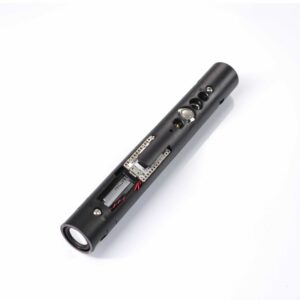
Neopixel Lightsaber Soundboard Kit Proffie 2.2
Accessories / Neopixel Lightsabers
Frequently Asked Questions
Q1: Which soundboard?
A: There’s no single best — it depends on how much configuring you want. Proffie is the most customizable (code required), GHv4 the loudest with wireless built in, CFX the premium menu-driven option, and Xenopixel the easiest plug-and-play choice.
Q2: Is Xenopixel better than Proffie?
A: Depends on what you want. Proffie gives near-unlimited customization via code; Xenopixel is app-driven and ready out of the box. Xenopixel is easier, Proffie is more powerful — most buyers are better served by Xenopixel unless they specifically want to code.
Q3: Is Proffie worth it for a beginner?
A: Usually not. Proffie’s power requires editing config files and compiling firmware. Beginners get a better experience from Xenopixel (app-only) or GHv4/CFX (menu-driven), and can upgrade to Proffie later.
Q4: What is your main priority for a sound board?
A: That’s the right question — the priority decides the board: zero setup means Xenopixel, loudest audio with wireless means GHv4, premium depth without code means CFX, and maximum customization means Proffie. Match the board to the priority, not the other way around.
Q5: What is the difference between basic sound and premium sound?
A: Basic sound plays static triggers — fixed swing and clash files when a threshold trips. Premium sound runs smooth swing, where the hum blends in real time with motion from the IMU. Premium boards also hold more fonts, offer more effects, and expose deeper config.
Q6: Recommendations on changing soundboards?
A: Check the board fits your hilt — the four boards differ in size (Proffie V3.9 is 17.8 × 33.2 × 4 mm; CFX is 34.30 × 20.75 mm; GHv4 is 34.5 × 17.9 × 3.7 mm). Then match the new board to your config depth. A Proffie for a Xenopixel swap is possible in many hilts, but budget for the learning curve.
Q7: N00b question about saber sound boards?
A: Start simple. Xenopixel is the standard first-saber board — app control, no soldering, no code. It works out of the box and the board is the most replaceable part of a saber, so upgrading later is always open.
Q8: Possibility of dropping Proffie in place of a Xenopixel?
A: Often yes — many hilts share standard switches, LEDs, and wiring, so a Proffie swap works. But Proffie is bigger in some dimensions and needs a config written for the hilt’s wiring. Check the hilt’s install space and your comfort with Arduino before committing.
Q9: Does the soundboard affect sound quality?
A: Yes — amplifier output and the smooth-swing algorithm live on the board. GHv4’s 4 W amp is the loudest published figure; Xenopixel’s 2 W is the quietest. The sound font and speaker matter too, but the amp sets the ceiling.
Q10: Can I change sound fonts on any soundboard?
A: Yes — all four read WAV fonts from a microSD card. The difference is how you wire a new font in: Xenopixel is drag-and-drop plus app select, CFX/GHv4 are text-file entries, and Proffie needs a config edit and reflash.
ISABER Lightsaber Battery Charger — USB-C 18650 Charger
Accessories / RGB & Baselit Lightsabers
High-quality Thickened Canvas Lightsaber Bag
Accessories / RGB & Baselit Lightsabers