Both boards drive the same Neopixel blade — the difference is who controls it. Xenopixel V3 is a closed, app-managed board from LGT that works the moment you turn it on. Proffieboard V3.9 is an open-source STM32 platform you program yourself. Same LEDs, same 18650 battery, same smooth swing concept. Completely different relationship with the hardware.
This page goes through the boards the way a technician would: architecture, processors, pin maps, audio paths, effect engines, and configuration workflows. No “which one is better.” Just what each board actually is, and what that means for how you’ll use it.
If you take one fact from this page: Xenopixel gives you a finished product. Proffie gives you a platform. Every other difference — price, learning curve, community, upgrade paths — follows from that.
What’s on This Page
- Board Architecture — closed product vs open platform
- Processor & Memory — the silicon inside each board
- Data Pins & Expansion — Proffie’s pin map, explained
- Audio Hardware — amps, outputs, volume control
- Motion Sensing — IMUs and swing tracking
- Effect Engine — presets vs unlimited blade styles
- Configuration Workflow — app taps vs code compilation
- Sound Font Management — drag-and-drop vs font+config
- Power & Charging — batteries, charging circuits, protection
- Master Comparison Table — every dimension side by side
- Ecosystem & Upgrade Path — communities, cores, board swaps
- When Each Board Makes Sense — decision framework
- Frequently Asked Questions
Board Architecture
Xenopixel V3 is a sealed commercial product. Proffieboard is an open-source development board. LGT publishes feature lists for Xenopixel but not chip specifications, schematics, or source code. Proffieboard publishes everything: hardware design, firmware source, pin maps, and a full Arduino-based development toolchain. That single structural difference decides nearly everything else on this page.
| Aspect | Xenopixel V3 | Proffieboard V3.9 |
|---|---|---|
| Manufacturer | LGT (Nexus Sabers factory group) | Open-source project, boards produced by multiple fabricators |
| Open source | No — firmware and hardware closed | Yes — hardware files and firmware public |
| Design philosophy | Finished appliance: fixed feature set, app-managed | Dev platform: exposed pins, programmable behavior |
| Configuration method | Bluetooth app + SD card files | Config files compiled through Arduino IDE |
| Physical format | LGT core chassis (fits LGT VHC hilts) | Compact PCB, same footprint since V2 — fits standard cores and custom installs |
Practical consequence: when a Xenopixel feature behaves unexpectedly, your options are app settings and firmware updates from LGT. When a Proffie feature misbehaves, the fix is usually one config edit away — and thousands of community threads document exactly which edit.
Processor & Memory
Proffieboard V3.9 runs a documented STM32L452 ARM Cortex-M4 at 80MHz with 160KB RAM and 512KB flash. Xenopixel’s processor is not publicly documented. That asymmetry is the hobby’s worst-kept secret: Proffie’s specs are published because the platform is open; Xenopixel’s are not because LGT treats the board as a product, not a project. What’s publicly verifiable for Xenopixel is behavior — it drives a 50W pixel blade and runs 34 sound fonts simultaneously without issues, which tells you it’s comfortably powerful enough. But there’s no datasheet to cite.
| Specification | Xenopixel V3 | Proffieboard V3.9 |
|---|---|---|
| Processor | Not publicly documented | STM32L452REx, ARM Cortex-M4, 80MHz |
| RAM | Not publicly documented | 160KB (up from 64KB on V2 generation) |
| Flash | Not publicly documented | 512KB (up from 256KB) |
| Package | Not publicly documented | 64-pin BGA (up from 48 pins on prior generation) |
| SD card access | 16GB SD card included | SDIO interface (replaces SPI — faster read, ~20 parallel audio streams) |
| Upgrade generation | V3 (also sold as “Xeno3”) | V3.9 current; V2.2 still widely installed |
Why the V3.9 upgrade mattered: the jump from 64KB to 160KB RAM is what lets Proffie users run long multi-font configs with complex preon/off sequences without hitting memory walls. It’s the hardware reason V3.9 installs feel more spacious than V2.2 builds — not a marketing bump, a real RAM ceiling being raised.
Data Pins & Expansion
Proffieboard V3.9 exposes 4 Neopixel data pads, 3 free-use pads, 3 serial ports, 3 I2C ports, and 2 SPI ports. Xenopixel exposes a fixed internal layout with no user-facing pin map. If your saber plans include crossguard side blades, dual-blade staffs, servos, or accessory modules, Proffie is the board with spare pins to drive them independently.
| Pad | CPU Pin | Key Functions |
|---|---|---|
| Data 1 / ID | PA7 | Neopixel data, blade ID resistance sense. Built-in 470Ω resistor — no external resistor needed on Neopixel builds |
| Data 2 | PA9 | Second Neopixel output (crossguard, staff) or PWM LED drive |
| Data 3 | PB5 | Third Neopixel output; also S/PDIF and MOSI1 |
| Data 4 | PA4 | Fourth Neopixel output; also PWM, analog, DAC |
| Free 1–3 | PB3, PB10, PB11 | General purpose: analog in, servo control, extra serial/SPI/I2C |
| RX / TX / SDA / SCL | PC0, PC1, PB7, PB8 | Serial 3, I2C 1 — accessory buses |
Two details that trip people up. First, some pads share a CPU pin — enabling two conflicting functions on connected pads can over-draw and damage the chip. Second, Data 2, Data 4, RX and TX share one PWM timer: once Neopixels are running on them, those pads stop being usable for LED PWM at 800Hz. Check the pin chart before assigning functions.
On the Xenopixel side: the board’s pixel output is pre-wired to its core chassis. It drives the blade strip and, on double-ended kits, two strips for staff builds. That’s the entire expansion story — by design.
Architecture contrast — Xenopixel’s closed surface (left) vs Proffieboard’s exposed hardware (right)
Audio Hardware
Proffieboard carries a 3W mono amplifier with S/PDIF and I2S digital output. Xenopixel V3’s amp rating is not publicly documented, but its speaker output is app-adjustable on a 1–100 volume scale. In practice, both boards drive the same class of 20–28mm speaker used across production sabers, and community listening tests consistently describe out-of-box sound as near-identical.
| Audio Aspect | Xenopixel V3 | Proffieboard V3.9 |
|---|---|---|
| Amplifier | Not publicly documented | 3W mono |
| Digital output | No | Yes — S/PDIF or I2S |
| Volume control | App slider, 1–100 | Volume profile per font in config |
| Smooth swing | Yes, plus accent swings | Yes, fully tunable response curves |
| Stock fonts | 34 pre-installed on SD card | Whatever the installer put on — no fixed count |
The audio path difference mirrors the architecture difference. Xenopixel gives you a volume slider and font selection. Proffie lets you define when every sound triggers, at what pitch-bend, per font — and route clean audio out digitally if you’re recording.
Motion Sensing
Proffieboard uses a documented 6-axis motion coprocessor; Xenopixel V3’s sensor is described by LGT only as “incredibly responsive,” with gesture controls and adjustable sensitivity. Both boards implement smooth swing — the effect where swing speed bends the hum pitch in real time. On Proffie, the response curve itself is configurable in code. On Xenopixel, you get a sensitivity slider in the app.
Gesture sets are the visible difference. Xenopixel supports power-on gestures (twist, swing, stab) with audio feedback, adjustable in the app. Proffie supports the same categories but defined per-font in the config file — you decide which motion triggers what, and whether it triggers anything at all.
Effect Engine
Xenopixel V3 ships a fixed library of 11 blade modes and 7 ignition styles. Proffieboard has no library — every blade style is user-defined code, which means the ceiling is unlimited. That’s the core capability gap, and it’s why the two boards exist side by side in the market rather than one replacing the other.
| Effect Category | Xenopixel V3 (presets) | Proffieboard (user-defined) |
|---|---|---|
| Blade modes | 11 — Stable, Unstable, Pulse, Fire, Ghost, Blaster, Candy, Rainbow, plus variants | Unlimited — written in blade-style code; lightning crackle, gradient sweeps, frame-by-frame animations |
| Ignition styles | 7 — Standard, Stack, Wrap, Photon, Phaser, Scavenger, Hunter | Unlimited — preon/off sequences fully scripted |
| Clash effects | Flash on clash, lock-up, blaster block, tip drag, stab, melt, spin, force | All of these, plus custom trigger logic per event |
| Specialty | Lightning block, pre-on/post-off, gesture effects | Anything the C++ style language can express — the community has built thousands of shared styles |
| Crossguard / staff support | Crossguard side-blade timing adjustable | Independent strips on separate data pins, individually styled |
Where Xenopixel’s library wins: every one of its 11 modes is tuned and tested as a package. You pick “Fire” and it looks right. On Proffie, a bad blade-style edit can glitch or crash the style — the freedom includes the freedom to get it wrong.
Configuration Workflow
Xenopixel configures through the XenoConfigurator app over Bluetooth, in seconds. Proffie configures through text files compiled in the Arduino IDE, in minutes to hours. This is the workflow difference that decides most purchases before any spec sheet is opened.
| Task | Xenopixel V3 | Proffieboard V3.9 |
|---|---|---|
| Change blade color | App color picker, instant | Edit color line in font config, save, recompile, upload |
| Change volume | App slider 1–100 | Config edit or on-board menu |
| Add a font | Drag font folder onto SD card | Copy font + edit config entry + compile + upload |
| Change blade length / tip drag tuning | App settings | Config values per style |
| Firmware update | App or SD card | USB flashing |
| Tools required | Phone | Computer + Arduino IDE + USB cable |
An honest cost estimate: a first Proffie config change takes an evening, including IDE setup. The tenth change takes five minutes. If the idea of compiling code sounds fine, you’ll cross that curve once and keep the payoff forever. If it sounds like homework, Xenopixel was made for you.
Sound Font Management
Xenopixel: drag font folders onto the SD card and they’re available. Proffie: the font must also be registered in the config file before the board will play it. Both approaches have their fans, and both boards can hold far more fonts than anyone realistically uses — Xenopixel ships with 34 pre-installed on its 16GB card.
The community font supply is the other half of this story. Proffie has the largest open font ecosystem in the hobby — thousands of shared sets from the open-source community. Xenopixel reads the same .wav-based font format, so most Proffie-format fonts work on Xenopixel too, which is why the practical difference here is smaller than people assume. The real gap: on Proffie, a font can ship with its own blade style, motion profile, and trigger logic. On Xenopixel, a font is just sounds.
Power & Charging
Both boards run on removable 18650 cells — Xenopixel kits typically pair with a 3,600mAh cell driving a 50W pixel blade. Proffieboard charges at 450mA over USB. Neither board is a fast-charging device, and neither should be plugged into a phone fast charger: the charge circuits expect 5V.
| Power Aspect | Xenopixel V3 | Proffieboard V3.9 |
|---|---|---|
| Battery | Removable 18650, 3,600mAh (typical kit spec) | Removable 18650 — high-drain cell recommended for pixel builds |
| Blade power | Up to 50W Neopixel strip | Board-side MOSFETs drive same-class strips |
| USB charging | Standard 5V input | 450mA charge current, deep-sleep support |
| Battery protection | Reverse-polarity, overload, over-discharge protection built in | Protected high-drain cells recommended |
| Deep sleep | Adjustable sleep timing | Deep sleep with wake on power/aux buttons |
Runtime is set by the blade, not the board. A 50W strip at full white drains any board’s battery in under an hour. Both boards matter less here than the battery cell and the blade brightness settings — and both let you tune brightness down for longer runtimes.
Master Comparison Table
Every dimension in one place. Scan the column that matters to you.
| Dimension | Xenopixel V3 | Proffieboard V3.9 | Practical Impact |
|---|---|---|---|
| Openness | Closed product | Open-source platform | Determines fixability, modding, community depth |
| Processor | Undocumented | STM32L452, 80MHz Cortex-M4 | Proffie specs are verifiable; Xenopixel’s are inferred from behavior |
| RAM / flash | Undocumented | 160KB / 512KB | Proffie V3.9 runs heavy multi-font configs comfortably |
| Neopixel outputs | Fixed (single or double-ended kit) | 4 data pads | Proffie drives crossguard/staff strips independently |
| Expansion pins | None user-facing | 3 free pads, 3 UART, 3 I2C, 2 SPI | Proffie supports servos, accessories, custom hardware |
| Amplifier | Undocumented | 3W mono + digital out | Near-identical listening experience out of box |
| Smooth swing | Yes + accent swings | Yes, tunable curves | Both deliver motion-tracked audio |
| Blade effects | 11 modes, 7 ignition styles, fixed | Unlimited, user-coded | Proffie’s ceiling is your programming patience |
| Configuration | Bluetooth app | Config files + Arduino IDE | Minutes vs an evening, first time |
| Stock fonts | 34 on 16GB SD | Installer-dependent | Xenopixel wins the unboxing experience |
| Font workflow | Drag-and-drop | Copy + config edit + compile | Xenopixel: seconds. Proffie: per-font effort, per-font control |
| Community | Retailer support + app updates | Large open-source community, thousands of shared styles | Proffie problems usually have a documented fix |
| Price position | Baseline board | Roughly +$70–$150 premium | The premium buys the platform, not better LEDs |
| Typical pairing | LGT hilts and cores, ready out of box | Premium installs, 89-style and custom builds | Choose by how much you want to build vs buy |
Ecosystem & Upgrade Path
Xenopixel lives in LGT’s product ecosystem — app updates, firmware releases, and factory support. Proffie lives in the open-source community — shared configs, blade styles, and decades of forum documentation. Both are healthy. They serve different kinds of users.
Board swaps are real, and they’re asymmetric. Hilts built around a modular core system let you slide out a Xenopixel core and slide in a Proffie core without tools — that’s the standard upgrade path from a first saber to a modding platform. The reverse swap — Proffie to Xenopixel — happens, but it’s rare: people who outgrow Proffie’s freedom usually stop modding, not downgrade to a closed board.
When Each Board Makes Sense
Don’t pick by spec sheet. Pick by how you want to spend your hobby time.
| Your Situation | Get This | Because |
|---|---|---|
| First saber, want it working tonight | Xenopixel | Boots with 34 fonts and full effects. App handles every setting. |
| Cosplay, conventions, photography | Xenopixel | Instant color changes on set. No laptop needed at a con. |
| Gift for someone non-technical | Xenopixel | No config, no firmware worries, app is intuitive. |
| You want your own blade style, exactly | Proffie | Code the ignition, the flicker, the color transitions. Frame by frame. |
| Crossguard, staff, or multi-strip build | Proffie | 4 data pads drive each strip independently with its own style. |
| You enjoy tinkering more than dueling | Proffie | The board itself is the hobby. Community configs are endless. |
| Budget ceiling, need value now | Xenopixel | Baseline price, full experience. Proffie adds $70–$150 for potential you may never use. |
| Second saber, ready to go deeper | Proffie | You’ve had the finished product. Now take the platform. |
Related Guides
- Neopixel Lightsabers — Complete Technical Guide — how the electronics inside your blades actually work
- Lightsaber Sound Fonts — Complete Reference — font formats, installation, and both boards’ workflows
- Neopixel vs Baselit — Technical Comparison — blade technology, one layer below the board
- Neopixel vs RGB vs Xeno3 vs Proffie — Full Comparison — where the soundboard sits in the wider tech stack
Frequently Asked Questions
Q1: Is Xenopixel better than Proffie?
A: Depends entirely on the user. Xenopixel is better at being finished — app control, 34 fonts, zero setup. Proffie is better at being open — unlimited blade styles, exposed pins, and a huge DIY community. For a first saber, Xenopixel wins. For a modding platform, Proffie wins.
Q2: Which board should a beginner choose?
A: Xenopixel. Everything works out of the box, and the Bluetooth app handles color, volume, and effect changes in seconds. You’ll get the full smooth-swing experience with no config files anywhere in sight.
Q3: Is there a sound quality difference between Xenopixel and Proffie?
A: Out of the box, barely — community listening comparisons consistently call them near-identical on the same speaker. The real difference is control: Proffie lets you tune when each sound triggers and how it bends. Xenopixel gives you a volume slider and font selection.
Q4: Can Xenopixel do everything Proffie can?
A: No. Xenopixel’s effect set is fixed: 11 blade modes and 7 ignition styles, all well-tuned. Proffie’s styles are user-written code, so the ceiling is your imagination. If a specific look matters to you and it’s not in Xenopixel’s library, only Proffie can do it.
Q5: Do I need to know programming to use a Proffieboard?
A: You need to be willing to edit text configs and flash firmware through the Arduino IDE. Community guides walk non-coders through it, but the first setup is genuinely an evening’s work. After that, most changes are copy-paste edits.
Q6: Why does Proffie cost more?
A: Proffie installs typically run $70–$150 above Xenopixel equivalents. You’re paying for the open platform — the exposed hardware, the firmware toolchain, and the modding ceiling. The LEDs and speaker are the same parts either way.
Q7: Can I swap a Xenopixel board for Proffie later?
A: Yes, and it’s the standard upgrade path. Hilts with a modular core system let you slide the Xenopixel core out and a Proffie core in without tools. Your hilt, blade, and battery all carry over — only the core changes.
Q8: Does Proffie have a Bluetooth app?
A: No. Proffieboard has no app — configuration happens through SD card files, USB flashing, and on-board button menus. If phone control matters to you, that’s Xenopixel’s home turf.
Q9: What’s the difference between Proffie V2.2 and V3.9?
A: V3.9 moves to a faster STM32L452 with 160KB RAM (vs 64KB) and 512KB flash (vs 256KB), adds more data pads, and switches to SDIO SD-card access. Same footprint as V2.2. In practice: more complex multi-font configs run without hitting memory limits.
Q10: Which board holds its value better in a resale?
A: Proffie installs typically hold a premium on the secondhand market, consistent with their higher new price. Xenopixel sabers resell well too — the board rarely decides resale value; the hilt design and overall condition do.
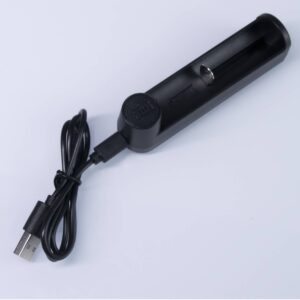
ISABER Lightsaber Battery Charger — USB-C 18650 Charger
Accessories / RGB & Baselit Lightsabers
High-quality Thickened Canvas Lightsaber Bag
Accessories / RGB & Baselit Lightsabers
ISABER Lightsaber Display Stand — Acrylic Hilt Stand with Laser-Etched Logo
Accessories / RGB & Baselit Lightsabers