Xenopixel is the soundboard family made by LGT that powers most entry-to-mid lightsabers on the market — one board that drives both baselit RGB and Neopixel blades. It’s the chip behind the “plug it in, cycle through the fonts, no software” experience most first-time owners meet.
That combination is why it became the default: pixel-blade effects at a budget board’s price, no programming required. One hilt runs a scrolling-ignition Neopixel blade today and a hollow baselit blade for sparring tomorrow.
This page is the full technical reference — the version history, the font system with its file layout, every blade style and ignition, the Bluetooth app, the power system, the dueling limits, and the troubleshooting table.
What’s on This Page
- What Xenopixel Is — the board, the two variants, the name confusion
- Version History — Eco V1 → V2 → V3, and the “V4” myth
- Sound Font System — the .font structure, 34 fonts, cross-board compatibility
- Blade Styles & Ignitions — full lists for pixel and RGB variants
- Effects & Gesture Engine — smooth swing, FOC, tip drag, stab, melt
- The Xeno Configurator App — Bluetooth, controls, firmware
- Power System — 18650, the 5V/1A rule, runtime
- Dueling Limits — where the fragile parts are
- Troubleshooting Reference — ten common faults
- Soundboard Matrix — Xenopixel vs GHv3 vs Proffie
- Frequently Asked Questions
What Xenopixel Is
Xenopixel is a soundboard family designed and manufactured by LGT, sold under the LGT brand and the Nexus brand in different markets. It sits below Proffie and Golden Harvest in price and above basic RGB boards in capability.
Here’s the name confusion that trips up new buyers: Xenopixel is a soundboard — the chip inside the hilt — while “Neopixel” is a blade type. A Xenopixel saber usually ships with a Neopixel blade, but the same board also drives a baselit blade.
The board ships in two hardware variants:
| Variant | Blade interface | Pixel effects | Preinstalled fonts |
|---|---|---|---|
| Xeno3 (pixel) | Neopixel LED strip in the blade, up to 50W | Full — scrolling ignition, per-pixel effects, infinite color | 34 |
| X RGB 3.0 (baselit) | Single in-hilt LED through a hollow blade | None — uniform single color at a time | 16 |
The pixel variant is the one most sabers use. It’s what makes a Xenopixel saber look “movie-grade” at an entry price — and it’s the variant this reference covers in depth.
Version History
The Xenopixel line has two documented versions — V2 in September 2021 and V3 in May 2023 — plus an older Eco V1 board it replaced. Here’s what each one added.
| Version | Released | What it added |
|---|---|---|
| Eco V1 | ~2020 | The entry “ECO” board that Xenopixel replaced. |
| Xenopixel V2 | September 2021 | Blaster gun mode, ghost blade, 5 blade styles, 6 ignition styles. One-button operation on a pixel blade. |
| Xenopixel V3 (Xeno3) | May 2023 | Bluetooth app (Xeno Configurator), 34 preinstalled fonts, gesture controls (tip drag, stab, melt, blaster block), smooth swing, accent swing, flash-on-clash, lock-up, infinite blade colors, SD card programmability, 50W pixel support. |
There is no official “Xenopixel V4.” Board listings labeled V4 in the hobby are Golden Harvest V4 — a separate board from a different manufacturer. Within the Xenopixel line, the story stops at V3.
One compatibility rule follows from the version split: Xeno V3 sound fonts only run on the 3rd-generation boards. A V2 board and a V3 board don’t share font files.
The Xenopixel Version Timeline
Two documented versions, one predecessor, and no V4. Most sabers on the market today run V3.
Sound Font System
A Xenopixel V3 saber ships with 34 sound fonts on a 16GB microSD card, plus 16 embedded fonts that remain available when the card is removed. The baselit RGB variant carries 16 fonts.
Each board family stores fonts in its own layout. Xeno uses a .font file alongside the WAVs — not the config.ini of Proffie or the settings.txt of Golden Harvest:
| Element | Xenopixel V3 | Proffie | Golden Harvest V3 |
|---|---|---|---|
| Audio files | .wav | .wav | .wav |
| Config file | .font file | config.ini + smoothsw.ini | settings.txt |
| Recommended audio spec | 44.1kHz, 16-bit, mono PCM WAV | ||
Fonts are not drop-in between boards. Because each board reads a different file structure, a raw Proffie font won’t run on a Xenopixel board as-is — community conversion tools rename and reshape it first.
When you buy a commercial font, check the listing for Xenopixel (sometimes “XenoV3”) as a supported format, and note that Xeno V3 fonts only work on the newer boards.
Blade Styles & Ignitions
The pixel variant cycles through 8–12 blade styles and 7–12 ignition styles, depending on firmware and vendor build. The baselit variant has 3 blade modes and 3 light effects.
| Blade style | What it looks like | Available on |
|---|---|---|
| Steady / Stable | Solid, even color | Pixel + RGB |
| Pulse | Brightness breathing in and out | Pixel + RGB |
| Unstable | Random brightness flicker | Pixel + RGB |
| Candy blade | Multi-color segment sweep | Pixel |
| Rainbow blade | Continuous hue cycle | Pixel |
| Fire / Crack blade | Flame-like shimmering effect | Pixel |
| Ghost blade | Blade visible only while moving | Pixel + RGB |
| Blaster blade | A “bolt of light” sweeps up the blade | Pixel + RGB |
Ignition styles — how the blade lights up from off — commonly include Standard, Stack, Wrap, Photon, Phaser, Scavenger, and Hunter, with some firmware builds listing up to 12. Vendor listings differ, so count varies by build.
Two blade modes matter for troubleshooting, so remember them: ghost blade hides the blade unless it moves, and blaster blade shows only a moving bolt of light. Both are features, not faults — more in the troubleshooting table.
Effects & Gesture Engine
Xenopixel V3 runs a motion-reactive effect set — smooth swing, accent swing, flash-on-clash, tip drag, stab, melt, blaster block, and saber lock-up. The onboard gyroscope and accelerometer feed every trigger.
| Effect | What it does | How it triggers |
|---|---|---|
| Smooth swing | Continuous swing audio scaled to motion | Gyroscope rotation |
| Accent swing | Extra whoosh on fast swings | Speed threshold |
| Flash-on-clash | Blade flash on impact | Impact detection |
| Tip drag | Blade effect while the tip drags | Tip contact motion |
| Stab | Stab sound and effect on a thrust | Linear acceleration |
| Melt | Melting effect during held contact | Held clash |
| Blaster block | Deflection effect on a quick clash | Fast impact |
| Lock-up | Saber lock-up visual and sound | Held clash |
Xenopixel’s smooth swing is a simplified proprietary engine. It responds in practice, but unlike ProffieOS it exposes no tuning parameters — sensitivity and swing thresholds are fixed by the board. That’s the tradeoff for an app-based, no-code setup.
The Xeno Configurator App
Xenopixel V3 connects to the Xeno Configurator app (also branded “SABER” in some stores) over Bluetooth on iOS and Android. The app is the board’s entire config surface — no cable, no desktop software.
From the app you can:
- Test and switch sound fonts wirelessly
- Edit blade modes, effects, and ignition styles per font
- Change the blade color for each font
- Adjust volume (1–100), brightness, blade length, and motion sensitivity
- Read battery level
- Upgrade the board’s firmware
Two app quirks are worth knowing. Cycling through fonts quickly can crash the app or the saber, and changing fonts while audio is playing can glitch the output. A power cycle clears both.
Power System
Xenopixel sabers run on a single 18650 lithium cell and charge at 5V/1A over USB-C. Full charge takes 2–4 hours, and a Neopixel blade at high brightness runs roughly 1–2 hours per charge.
| Power spec | Xenopixel value |
|---|---|
| Cell | 18650, 2,000–3,600mAh typical |
| Charging input | 5V/1A only — fast chargers can damage the board and cell |
| Charge time | 2–4 hours |
| Runtime (Neopixel, high brightness) | ~1–2 hours |
| Runtime (baselit RGB blade) | 2–4 hours |
| Charging port | USB-C |
The 5V/1A rule is the one that kills sabers. Phone fast chargers negotiate 9V or 12V over the same USB-C port, and the board’s charging circuit expects 5V. Use the included cable or any standard USB-A port.
Dueling Limits
Xenopixel is built for light-to-medium sparring, not heavy dueling — and no manufacturer warranties it for blade-on-blade hits. The fragile part is the LED strip inside the Neopixel blade.
- Blade: 1-inch polycarbonate tube; 2mm wall for display, 3mm heavy-grade for sparring.
- Strip: WS2812B-class individually addressable LEDs — WS2813 is preferred because it adds a backup data line.
- Full draw: up to ~50W at maximum brightness.
- Repeated hard strikes can kill LEDs or damage the blade connector — the strip is not field-repairable.
The community pattern that works: a baselit RGB blade for heavy training, a Neopixel blade for show. Same hilt, two blades, five-second swap.
Troubleshooting Reference
Xenopixel misbehaves in a small, well-mapped set of ways — and most of them trace back to battery or blade mode. Here’s the table.
| Symptom | Cause | Fix |
|---|---|---|
| Won’t power on | Depleted cell or loose contact plates | Charge 4–8 hours; open hilt, adjust battery contact plates |
| Says “charging” then “ready” instantly | Battery not touching contact plates | Open hilt, remove battery, bend plates out, reinsert |
| SD card error | Card missing or files corrupted | Check for 34 font folders + settings folder; back up card files |
| “Bolt of light” on power-up | Blaster Blade mode | Hold the power button for 3 flashes to cycle modes |
| Blade only visible when moving | Ghost Blade mode | Hold the power button for 3 flashes; battery reset if stuck |
| No swing, hum, or clash sounds | Mute mode or low battery | Unmute; charge fully |
| Crackling audio or flickering blade | Low power | Charge fully |
| App won’t connect | Stale Bluetooth pairing | Unpair the saber, reopen the app, reconnect |
| Blade dim or partially lit | Firmware switched to baselit mode | Reconfigure the board to pixel mode |
| Heat near the emitter | Normal LED heat | No action needed |
Soundboard Matrix
Xenopixel V3, Golden Harvest V3, and Proffie cover the same job three different ways — the tradeoff is customization depth against setup effort.
| Board | Preinstalled fonts | Customization | Audio amp | Typical user |
|---|---|---|---|---|
| Xenopixel V3 | 34 | Bluetooth app, no coding | 2W | First-timers, light dueling, cosplay |
| Golden Harvest V3 | 48 | On-hilt editor, no coding | 4W max | Mid-tier, no-code tweakers |
| Proffie | 32 | Open-source Arduino config | 2W | Enthusiasts, full custom |
Sound Font Count by Board
Preinstalled fonts out of the box. Golden Harvest ships the most; Xenopixel is mid-pack with the easiest way to change them.
Font counts from manufacturer and vendor documentation (2026). All three boards accept custom fonts — the difference is how much work the swap takes.
Frequently Asked Questions
Q1: What is a Xenopixel lightsaber?
A: A lightsaber built around the Xenopixel soundboard from LGT — the board family that powers most entry-to-mid sabers. It drives both baselit RGB and Neopixel blades, and in its V3 form adds Bluetooth app control, 34 sound fonts, and motion gestures, all without any programming.
Q2: Is Xenopixel the same thing as Neopixel?
A: No — and this is the most common terminology confusion in the hobby. Xenopixel is the soundboard (the chip in the hilt). Neopixel is a blade type (a strip of individually addressable LEDs inside the blade). A Xenopixel saber usually ships with a Neopixel blade, but the board also drives baselit blades.
Q3: Does Xenopixel have smooth swing?
A: Yes — a simplified proprietary version. Xenopixel V3 supports smooth swing sound fonts and the motion response works in practice. What it lacks is parameter tuning: sensitivity and swing thresholds are fixed, unlike ProffieOS which exposes them for editing.
Q4: How many sound fonts does Xenopixel have?
A: 34 on the V3 pixel variant, shipped on a 16GB microSD card, plus 16 embedded fonts available when the card is removed. The baselit RGB variant (X RGB 3.0) carries 16 fonts. Custom fonts go onto the SD card.
Q5: Can you use Proffie sound fonts on Xenopixel?
A: Not directly. Proffie fonts use a config.ini + smoothsw.ini layout; Xenopixel V3 uses a .font file. Fonts must be converted between the two layouts, and Xeno V3 fonts only run on the 3rd-generation boards. When buying commercial fonts, check for “Xenopixel” or “XenoV3” as a supported format.
Q6: What’s the difference between Xenopixel V2 and V3?
A: The V3 upgrade (May 2023) added everything V2 lacked: Bluetooth app control, 34 preinstalled fonts, gesture effects (tip drag, stab, melt, blaster block), and smooth swing. V2 (September 2021) was a one-button board with 5 blade styles and 6 ignitions and no app.
Q7: Is there a Xenopixel V4?
A: No. The “V4” boards you see listed are Golden Harvest V4, a separate board from a different manufacturer. Within the Xenopixel line, the versions stop at V3.
Q8: Can a Xenopixel board drive a baselit blade?
A: Yes. The V3 board has a data pin and drives both blade types — that’s the standard upgrade path: run a baselit blade for sparring now, add a Neopixel blade later on the same hilt. The baselit-only variant is the X RGB 3.0, which carries 16 fonts and no pixel effects.
Q9: How do you change blade styles or sound fonts?
A: Two ways. Through the Xeno Configurator app over Bluetooth — pick a font, change its color and effects, adjust brightness. Or through the SD card — pull it out, swap the font folders, put it back. The app is the quick route; the card is the route for adding new fonts.
Q10: Why is my Xenopixel blade only visible when I move it?
A: You’re in Ghost Blade mode — a blade style where the blade hides until motion triggers it. Hold the power button for 3 flashes to cycle to the next blade style, or reset by removing and reinserting the battery if it gets stuck.
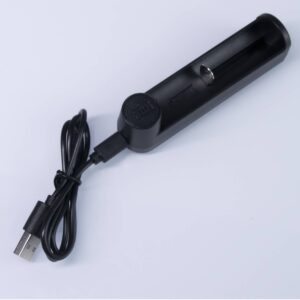
ISABER Lightsaber Battery Charger — USB-C 18650 Charger
Accessories / RGB & Baselit Lightsabers
High-quality Thickened Canvas Lightsaber Bag
Accessories / RGB & Baselit Lightsabers
ISABER Lightsaber Display Stand — Acrylic Hilt Stand with Laser-Etched Logo
Accessories / RGB & Baselit Lightsabers